
Building and Controlling a Gantry Crane with Simulink, Simscape Multibody, and Codex

A few days ago, my colleague Ned Gulley published this blog post: Simulate in MATLAB, Animate in Blender.
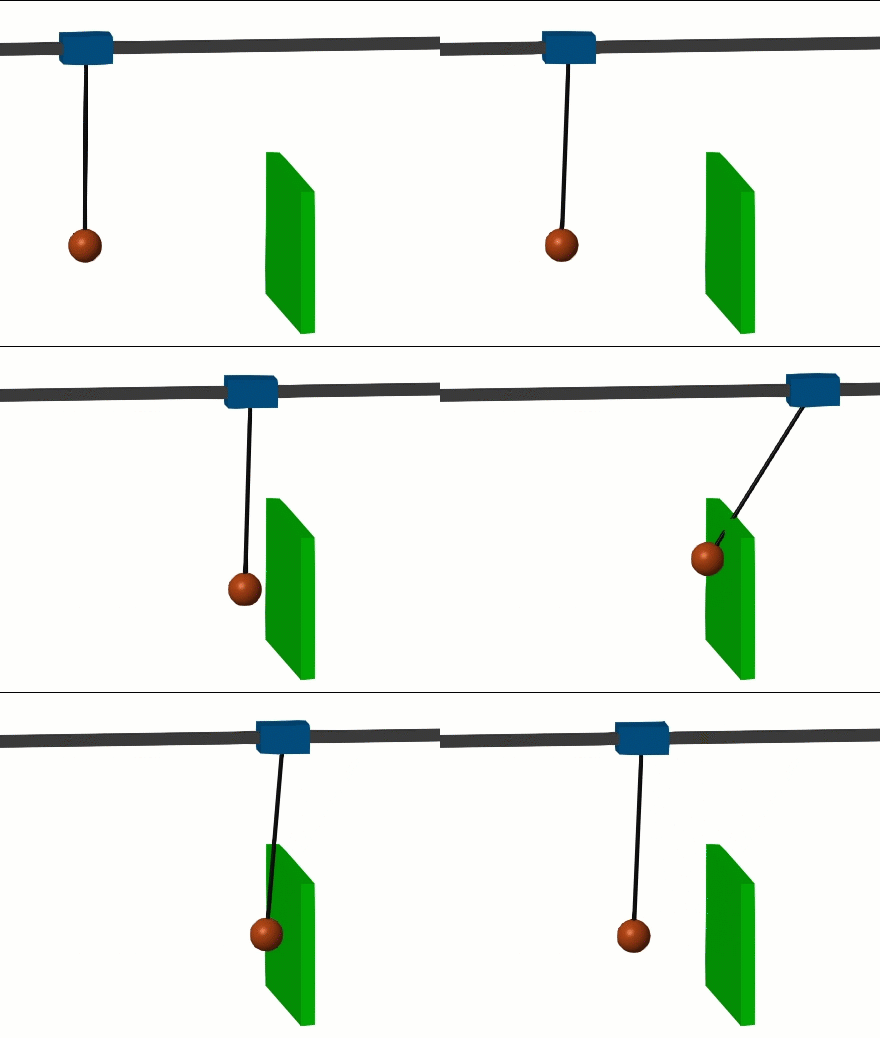
Ned simulated a sliding gantry crane supporting a heavy swinging load and then controlled it to swing the load above a wall. Here is what the final result looks like:
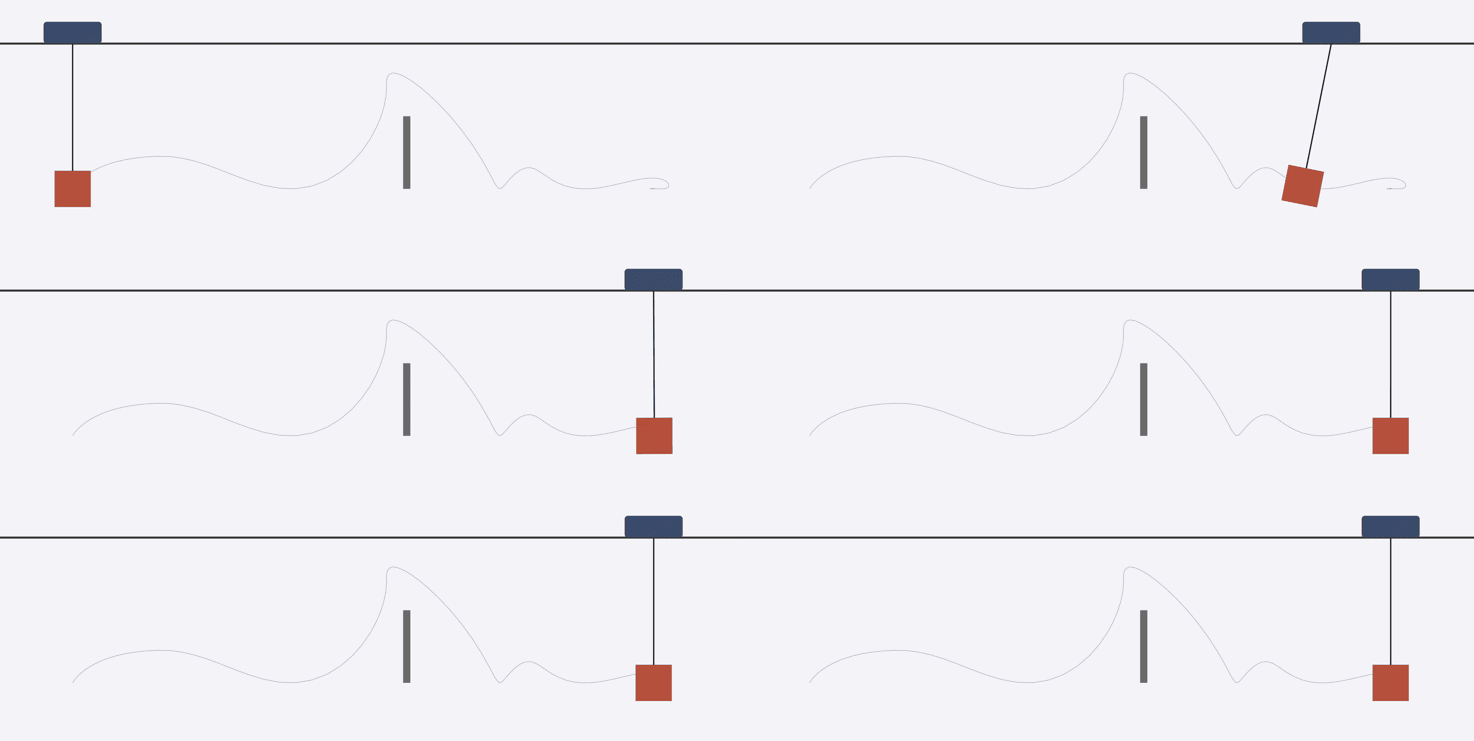
In his post, Ned did not include the code, but he mentions that he implemented the simulation and animation workflow in MATLAB. My first reaction was:
Why implement that in MATLAB when we have Simscape Multibody?
I launched Codex, connected it to MATLAB through the Simulink Agentic Toolkit and asked it to review Ned's post and implement something similar, but using Simulink and Simscape Multibody.
I will use this story to highlight:
- The importance of planning and how the initial plan can influence implementation choices in Simulink
- Different ways the Simulink Agentic Toolkit can implement the same control logic
You can download the final result from my GitHub repository: blog/2026_08_06_crane/CraneProject at main · simulink/blog
The Plan
After reading the post, Codex used the specifying-plant-models skill from the Simulink Agentic Toolkit to plan how it was going to address this challenge. You can find those files here.
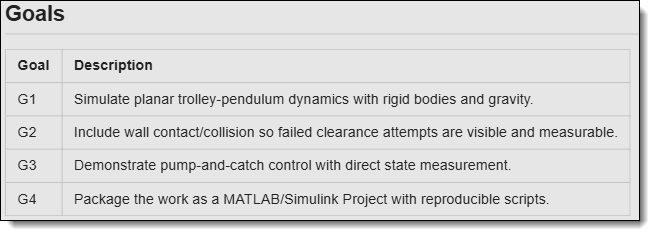
It defined a set of goals:
and divided the work into five phases:
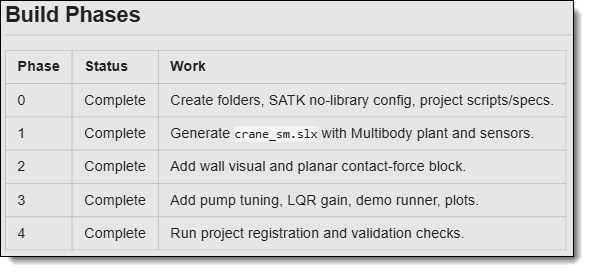
Compared to other projects where I have used this skill, the proposed plan was relatively light (which makes sense for this relatively straightforward goal). I decided to leave it as is and begin the implementation.
The Plant Model
Here is what the model looked like after phase 2. Note that I manually moved and resized a few blocks to get a better screenshot for this blog. I am very picky about Simulink model layout.
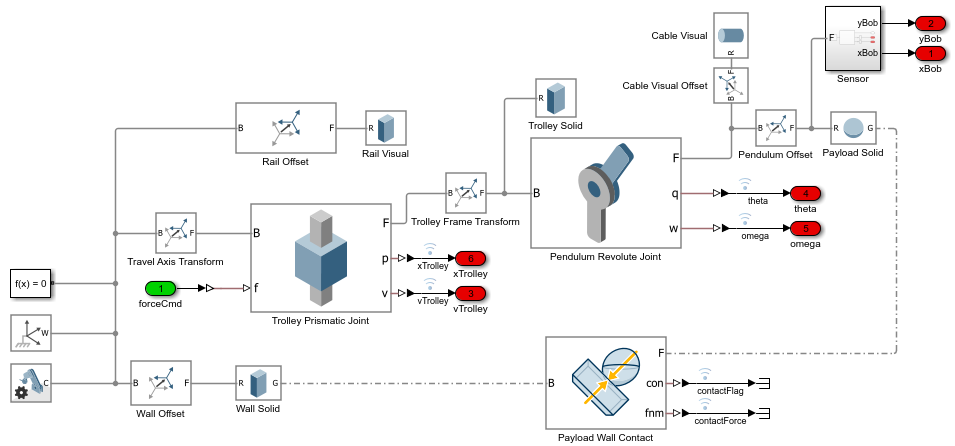
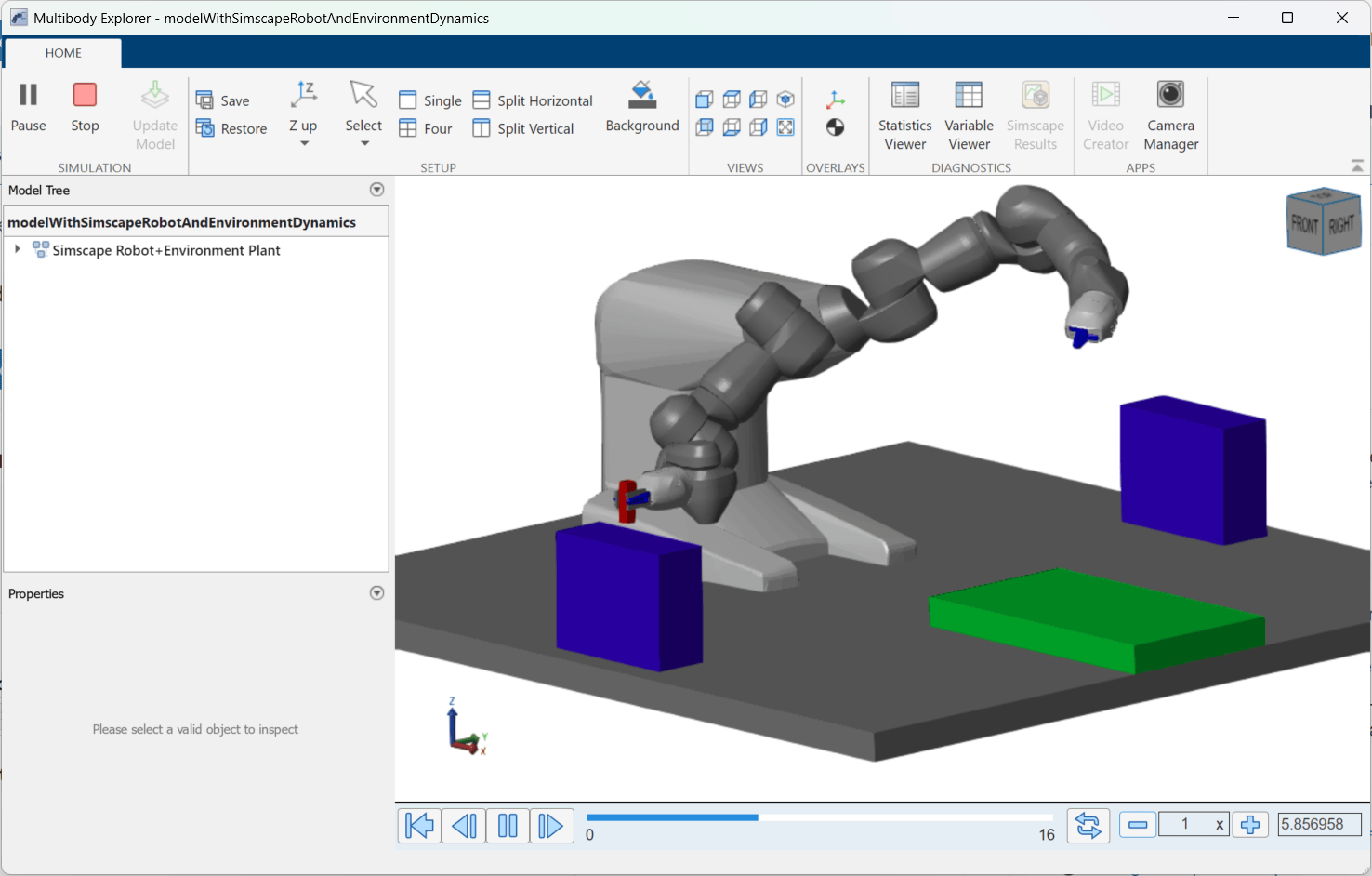
Applying a constant force on the base, I could use the Multibody Explorer to confirm that it moves the way I expect.
Control Design
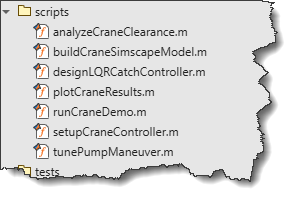
If you look in the scripts folder in my project, you will find a series of scripts that Codex used to design the maneuver to pump energy into the payload swing.
Here is what the code designing the LQR controller looks like:
function K = designLQRCatchController(p)
%DESIGNLQRCATCHCONTROLLER LQR gain for the small-angle crane model.
if nargin == 0
p = craneParameters();
end
M = p.trolleyMass;
m = p.payloadMass;
L = p.pendulumLength;
g = p.gravity;
% State vector: [x; xdot; theta; thetaDot]. theta is measured from vertical.
A = [0 1 0 0; ...
0 0 -(m*g)/M 0; ...
0 0 0 1; ...
0 0 ((M+m)*g)/(M*L) 0];
B = [0; 1/M; 0; -1/(M*L)];
K = lqr(A, B, p.lqrQ, p.lqrR);
end
If you're interested in more details, see crane-controller-design-blog.md. Once the design was complete, I asked Codex to write a report explaining how it implemented the control logic and what each generated file does.
Controller Implementation
This is where this gets interesting.
If you look at the implementation plan generated by Codex, there are not many details on how the controller would be implemented. Since I did not make specific requests, it made decisions that are different than what I would have chosen. Let's go through a few iterations I went through.
The first version of the controller implemented by Codex looked like this:
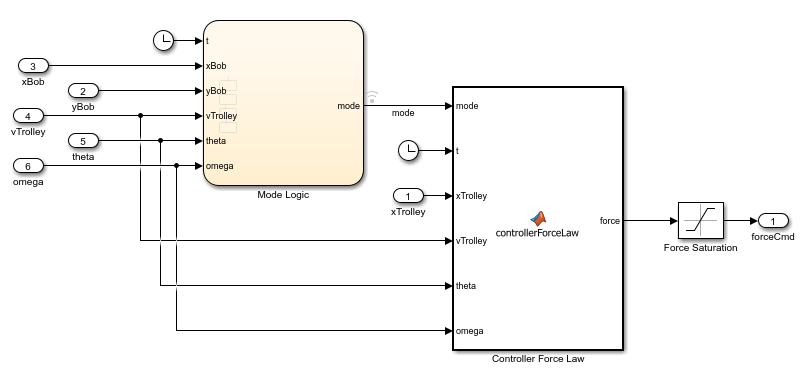
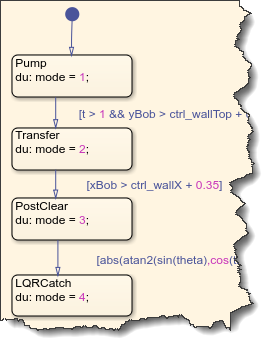
In that version, the Stateflow chart managed the phases of the maneuver, and a MATLAB Function block implemented the control equations.
While this is not fundamentally wrong, I usually prefer using Simulink math blocks when possible. I asked Codex to re-implement the Controller Force Law block into a Subsystem with basic math blocks. Here is what I got:
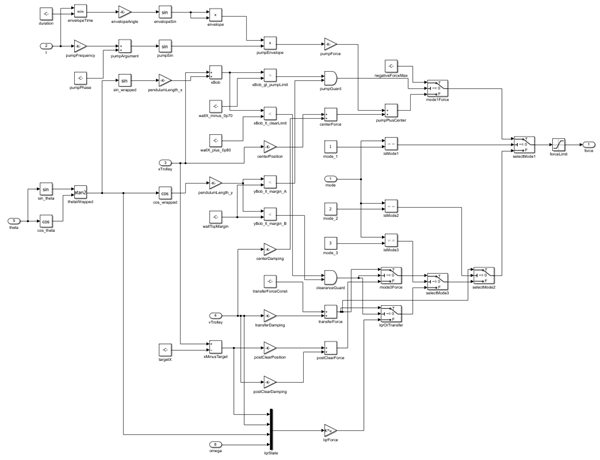
Not exactly what I was hoping for either, but once again, I had not given it very clear instructions of what I wanted.
I took the time to explain in detail that I wanted it to implement the control equations for each control mode using Simulink subsystems as states in the Stateflow chart. This time it did a great job and produced exactly what I wanted.
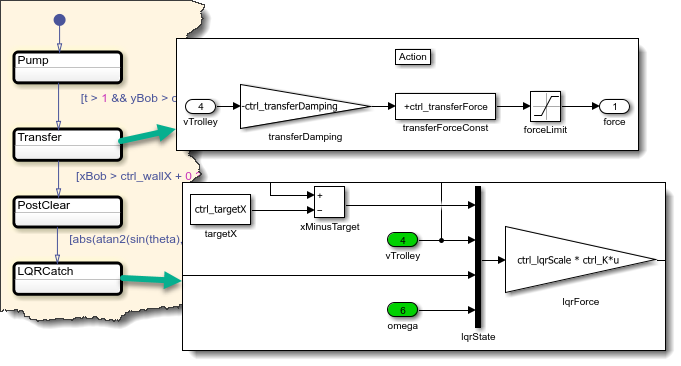
With those changes, the whole controller is now implemented in Stateflow:
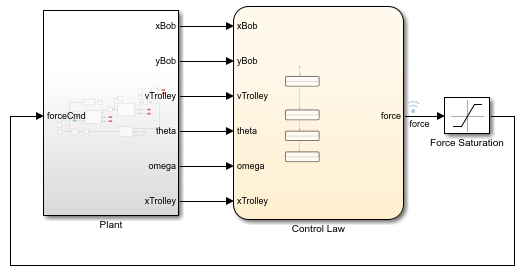
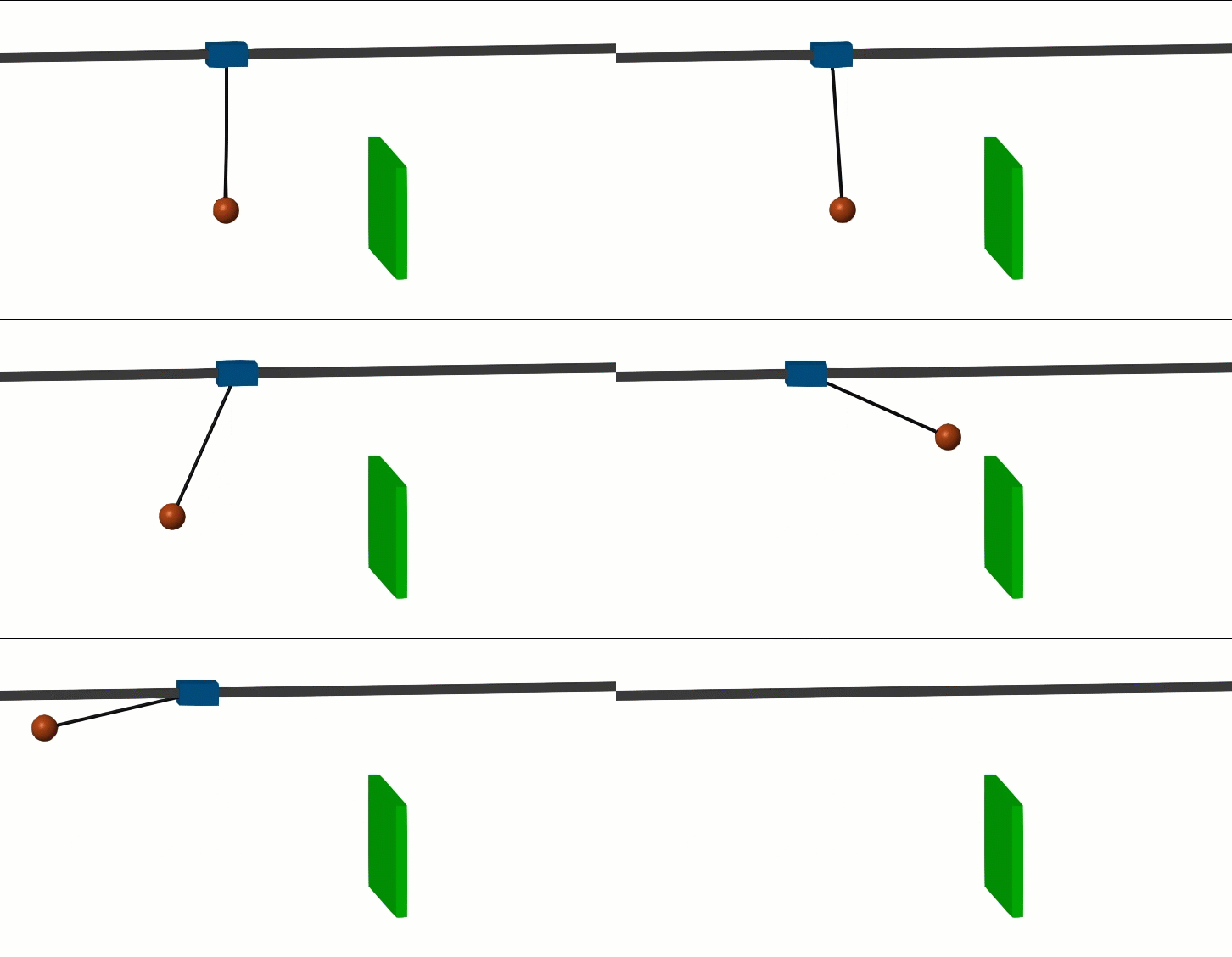
Here is the final maneuver:
Conclusion
With this story, I want to highlight a few things:
- Planning is important. The more detailed and explicit your plan is, the more likely the final implementation is to match what you have in mind. You will also probably save time and token costs.
- The Simulink Agentic Toolkit can implement algorithms in Simulink in many ways. With this example, it implemented the same control logic using a MATLAB Function block, two different styles of subsystems and a Stateflow chart.
- If something is important to you, specify it to the agent explicitly. When there is more than one way to implement an algorithm, the agent needs to pick one, and it will not necessarily be the one you have in mind.
Now it's your turn
Where are you in your adoption of agentic workflows with Simulink? What challenges are you facing?




댓글
댓글을 남기려면 링크 를 클릭하여 MathWorks 계정에 로그인하거나 계정을 새로 만드십시오.