
The Simulink Central Community
The MATLAB Central community covers a wide range of MathWorks products. After a quick glance, you might not guess there is a Simulink/Real-Time Workshop/Model-Based Design sub-culture, but there is, and I’m going to tell you I stay connected to it using the Simulink newsgroup.
CSSM - The Simulink Newsgroup
You may be asking yourself, “What is Seth talking about? comp.soft-sys.matlab(CSSM) is a MATLAB newsgroup!” The Simulink community is alive and well on CSSM.
The public, un-moderated Usenet newsgroup called comp.soft-sys.matlab started in 1993. It has MATLAB in the name, but it is the right place to talk about all of our products. “All the products?” you say, “Won’t that be noisy?” That is why I read the newsgroup with tags.
Tagging Adds Value
There are hundreds of posts on CSSM every day, and most are on topics unrelated to Simulink. I use the MATLAB Central newsreader to keep up to date on the newsgroup, post replies, and search. The MATLAB Central newsreader offers an enhanced interface to the CSSM by adding search (1) and tagging(2).
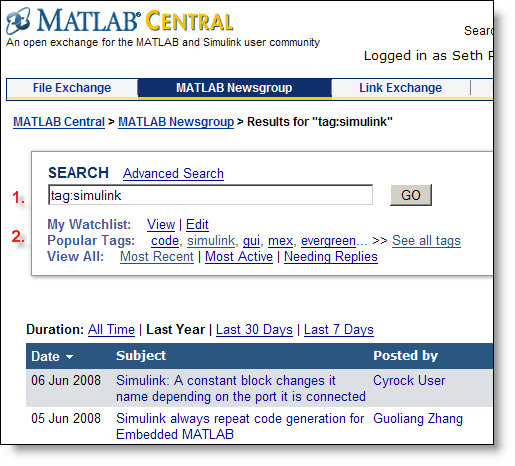
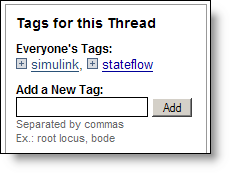
I filter the newsgroup with the Simulink tag. While reading posts, I add tags to help further classify articles. I encourage you to add tags too. Tags add value to the community! While reading through the MATLAB Central newsreader you will see this box in the upper right corner to add your own tags.
Clicking on the Simulink tag gives me just the Simulink newsgroup. Across all posts on CSSM there are an interesting distribution of tags. Look at the tag cloud:
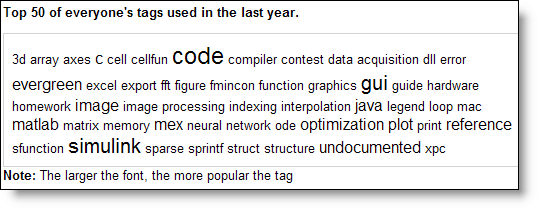
Notice that Simulink is a major tag used in the group.
Custom Feeds
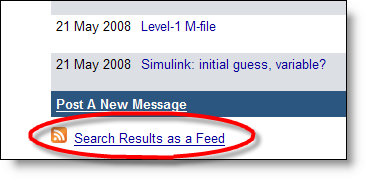
You can also create custom feeds to keep track of you favorite tags or searches. After you do a search, or click on one of the tags, the bottom of the page contains a link to the RSS feed for that search result.
I track my favorite feeds through the Google Reader. When I open my Google Reader these are the feeds I see.

As you can see, I am not up to date on all of my feeds. Instead, CSSM comes to me via e-mail.
E-mail Notification
I also use e-mail notification to stay up to date. I get about 10 to 20 emails a day from the newsgroup. I usually just scan through the emails and respond through the reader when I see a question I want to answer, or a discussion on which I want to comment.
Click on the "Add To My Watch List" link as you browse through the newsreader.

You can then specify how often you want to receive e-mail alerts when a message matches your watch list.
Who is in this community?
To start, I am. Here is my newsreader profile. Check out the threads I am watching and my favorite tags. There are many people asking questions, and others providing answers. You also find MathWorks developers like Devdatt or Guoliang who actively answer questions on the newsgroup.
Earlier this week Omur Bas posted an answer to this thread. I learned about using the SimulationCommand:WriteDataLogs to control when data logs show up in the MATLAB workspace.
Now it’s your turn
What discussions do you want to see on CSSM? Have you made your newsreader profile? Who do you recognize from the Simulink community? Leave a comment here and start a thread on the Simulink newsgroup.
- Category:
- Community


See Also
-
A Copilot for Simulink!
Blogs




Comments
To leave a comment, please click here to sign in to your MathWorks Account or create a new one.