
Simulink Agentic Toolkit

After the MATLAB Agentic Toolkit debuted last week, we are very happy to release the Simulink Agentic Toolkit on GitHub today.
Setup
You will see that it's as simple as cloning the repository, launching your AI coding agent ((Claude Code, GitHub® Copilot, Cursor, OpenAI® Codex, Sourcegraph Amp, Gemini™ CLI) in the repo, and ask "Set up the Simulink Agentic Toolkit".
In MATLAB, install the toolkit
matlab.addons.install("~/.local/share/MATLABMCPCoreServerToolkit.mltbx")
Then share the session to enable the AI agent to connect to it:
addpath("/path/to/simulink-agentic-toolkit")
satk_initialize
What's in the Toolkit?
In addition to the 5 tools available in the MATLAB MCP server, the toolkit adds 7 Simulink-specific tools:
- model_overview
- model_read
- model_edit
- model_check
- model_query_params
- model_resolve_params
- model_test
Those tools are used by 6 skills:
- building-simulink-models: Best practices for model construction and changes
- specifying-mbd-algorithms: Specify algorithms for model-based design — system specs, architecture specs, implementation and test plans
- specifying-plant-models: Plant model specification workflow with 4 templates
- testing-simulink-models: Test authoring and validation
- generate-requirement-drafts: Requirements generation
In addition to those, the toolkit has a filing-bug-reports skill. If you run into issues, ask something like "Use the filing-bug-reports to report all the problems encountered during this session". This will generate one markdown file per issue. Send that to technical support!
My First Example
I asked the agent:
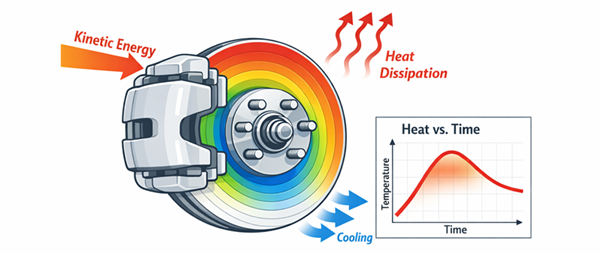
Make me a plan to create a simulation of the thermal behavior of typical disk brakes in an average sedan car. The thermal model should include relevant heat transfer mechanisms between the pad, disk and environment. Include plans to create tests to exercise the model for typical driving maneuvers.
Something like that:
Planning
When asking to implement a model like that, the specifying-plant-models generates markdown files that you can review and iterate on. Here is what I got after 2-3 iterations:
The plan is based on a template and contains standard sections like:
- Executive summary
- Problem statement
- Goals & Success Metrics
- Assumptions
- Interface
- References
Then it goes into more details of the implementation.
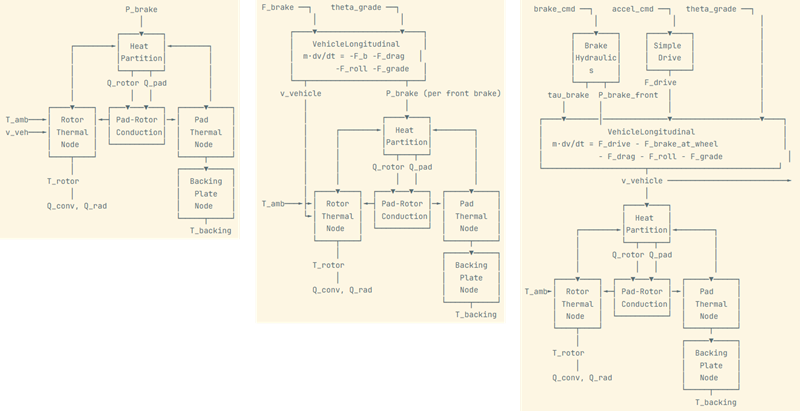
The plan typically includes an ASCII diagram of what the system will look like. Here are 3 iterations I went through where I asked to include a simple longitudinal vehicle with the brake model:
It plans how the equations in the model will be componentized in subsystems and referenced models:
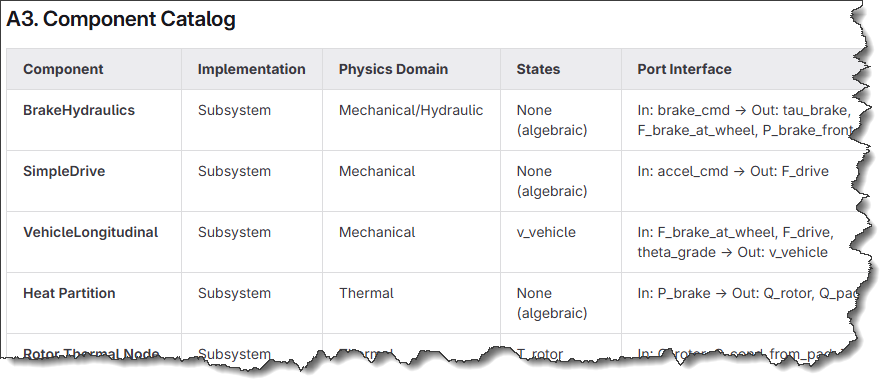
It described the equations to be implemented in each component:
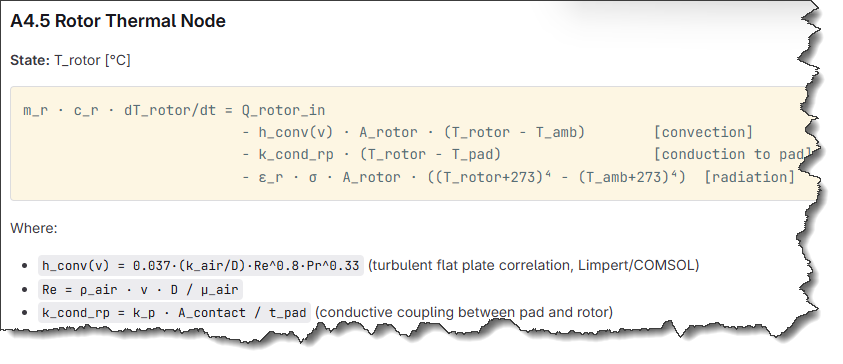
and the list of parameters:
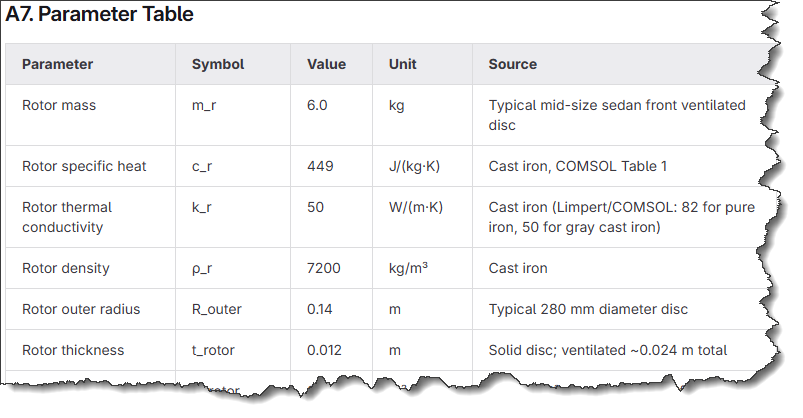
Implementation
Once I was happy with the plan, it generated the model and was successful at the first attempt. Here is what it looks like:
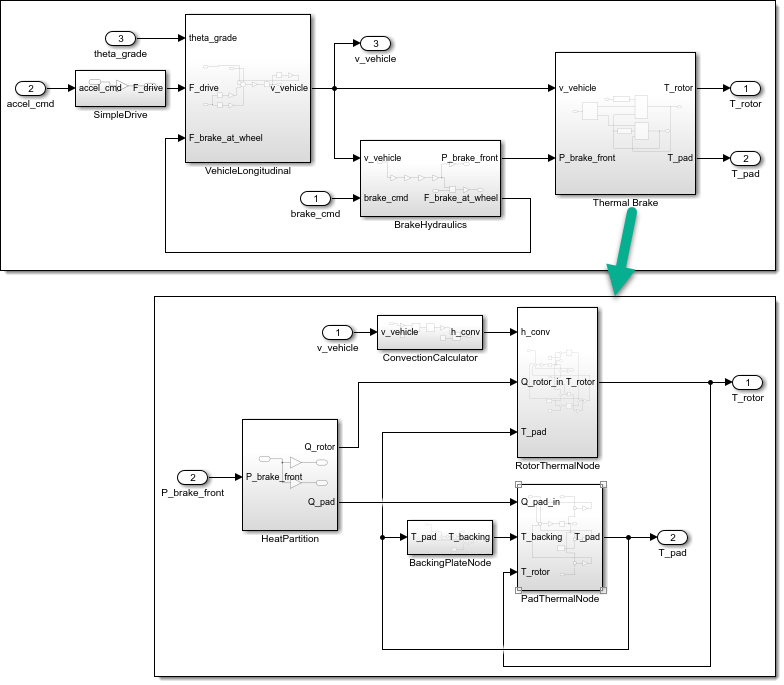
In terms of parameters, by default it created a MATLAB script defining the variables, but you can ask it to use a Data Dictionary instead if you prefer.
Testing
Testing is probably my favorite feature of the toolkit.
The test plan listed tests for individual components.
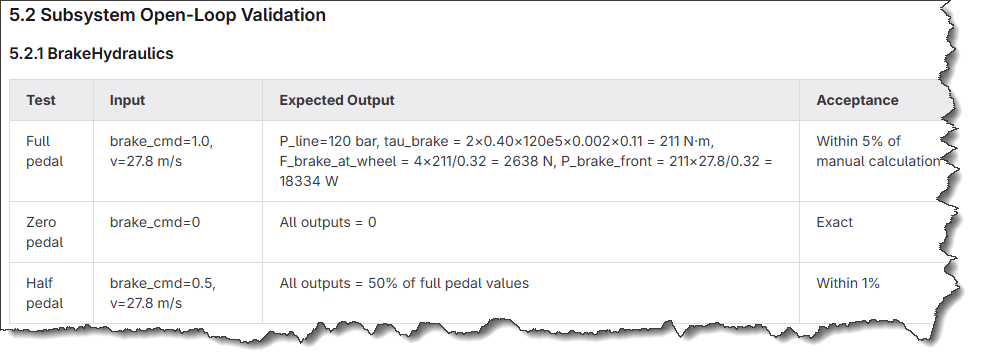
It also proposed multiple scenarios for the full closed-loop simulation.
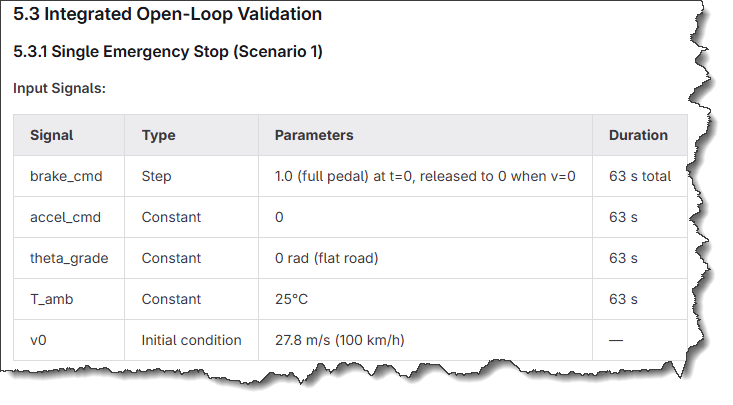
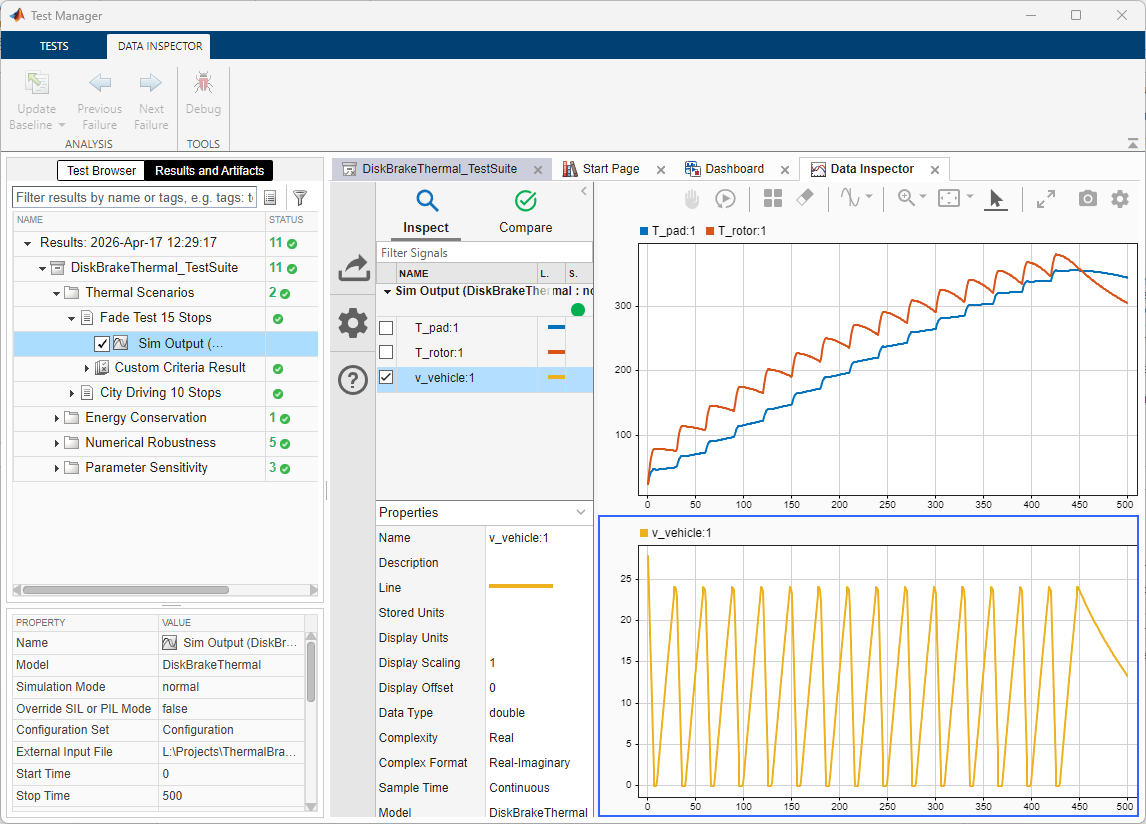
When time came to implementation, I had the option to get the test implemented in a MATLAB test class, or in the Simulink Test Manager. I like having the tests in the Simulink Test Manager, it makes it easy to review the results.
Tips and Tricks
Additional Skills
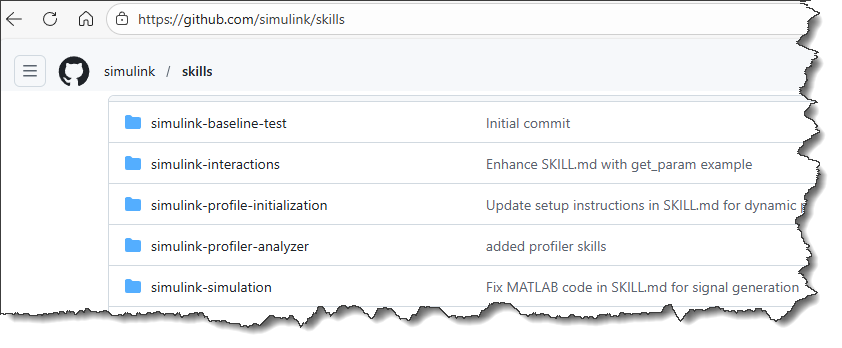
Some skills like simulink-simulation have been removed because they are included with the toolkit. The remaining skills like the profiling ones should not interfere with the toolkit and provide additional functionality on top of the toolkit.
If you create your own Simulink-related skills, ask your AI agent to use its skills creator skill to audit your skills and ensure they do not interfere with skills from the toolkit. When the agent gets conflicting information from different skills, it gets confused and makes more mistakes.
Monitoring Tools Calls
Depending on the AI agent you are using, there is a way to see the details of the tools calls it's doing. If everything works fine, you should see calls to the tools listed above: mcp__simulink__model_read, mcp__simulink__model_edit, etc. In Amp, it looks like this:
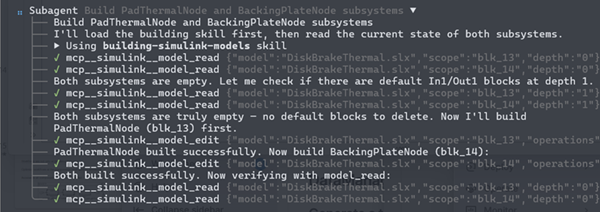
In some cases, especially if the context window becomes long and the agent starts making mistakes, I have seen the agent falling back to try editing Simulink models using evaluate_matlab_code from the MATLAB Core MCP Server. This is less efficient and has less awareness of Simulink, so I recommend interrupting the agent and ask it explicitly to use the tools from the Simulink Agentic Toolkit. This usually helps getting back on track.
What's Next
If you're using an AI agent to interact with Simulink, you really want to use the Simulink Agentic Toolkit. The guidance and tools that the toolkit provides to the AI agent make a huge difference.
Give this a try and let us know in the comments about your experience.
- Category:
- AI Coding Assistant,
- What's new?




Comments
To leave a comment, please click here to sign in to your MathWorks Account or create a new one.