
Introduction to Model Advisor
How do you check your model for common mistakes? Do you have an easy way to verify that your model matches the MAAB (MathWorks Automotive Advisory Board) Control Algorithm Modeling Guidelines? In this post, I will introduce model advisor and show you how easy it is to use automated checking in your modeling process.
Model Advisor
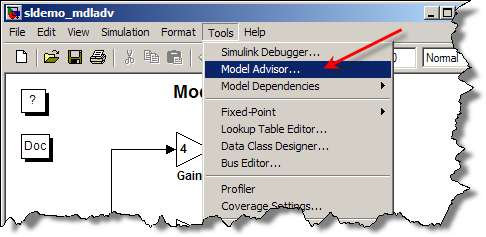
The Model Advisor is a tool in core Simulink that automatically checks your model for some common mistakes. From any model, you can open the Model Advisor from the Tools menu.
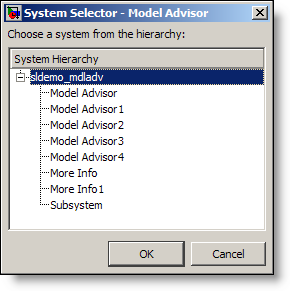
The Model Advisor can analyze the entire model, or a subset of the model. When you open it from the tools menu, you have to pick which system you want to work on.
You can also launch the Model Advisor on a selected system from the right click menu. The Model Advisor shows the available checks on the left side, grouped by product and by task.
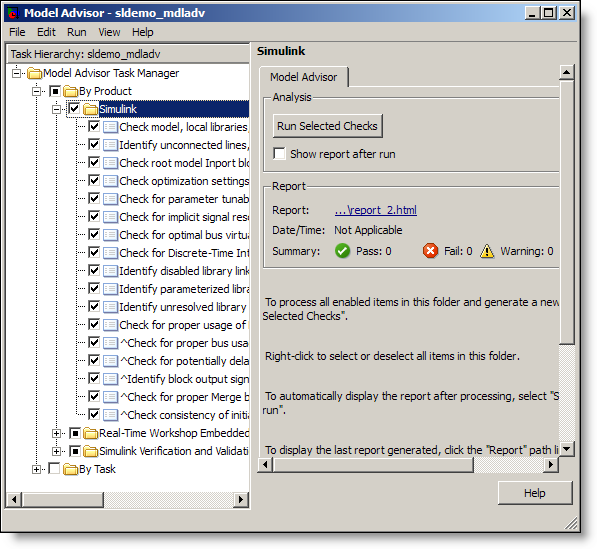
The individual checks can run one at a time, or you can run all the selected checks for a given node of the tree. The immediate results display when you highlight the check in the tree. For example, I ran the Simulink checks on this demo model:
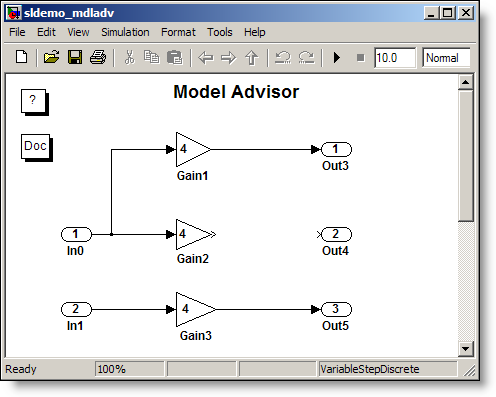
It turned up a warning in the check for unconnected objects.
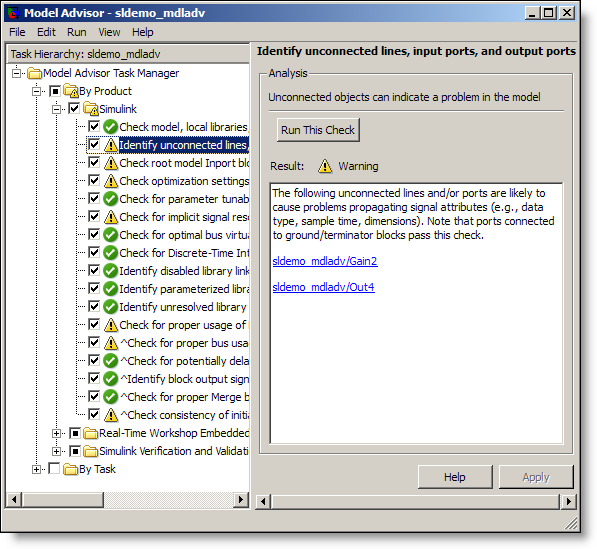
Often checks include links back into the model so you can locate the offending blocks. Some checks show you obvious problems in the model, like these unconnected lines. This check identifies the offending blocks and provides a brief explanation on why this could be a problem.
Another output from the Model Advisor is the report. An HTML report is stored in the SLPRJ directory after you have run the checks on the model. When you select to run a group of checks, you can automatically launch the report and review the summary of results.
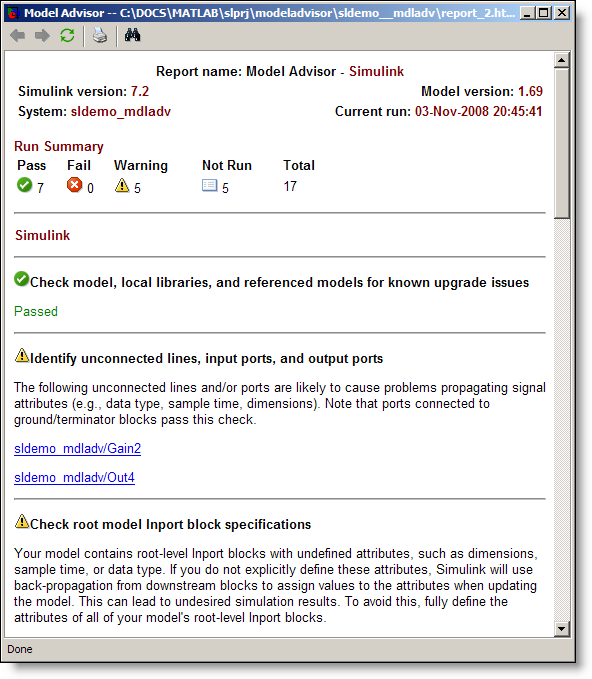
Core Simulink Model Advisor capabilities
The core Simulink checks available in Model Advisor help you find common mistakes, ensure model correctness and best practices. I think of the core Simulink Model Advisor checks like advice you would get from an expert Simulink user if they were looking over your shoulder while you work. There are so many optimizations and diagnostic settings in Simulink. It is not uncommon to find that you have a setting that triggers a warning from Model Advisor. Reviewing the information with the warning can help improve your model.
Modeling Standards Checks with Simulink V&V
Simulink Verification and Validation adds modeling standards checks commonly needed when developing embedded code for safety critical applications. In the R2008b release of Simulink V&V, there are additional modeling standards checks for DO-178B, IEC 61508, and MAAB 2.0. In the documentation, you can review the available modeling standards checks.
Checks with Actions
Some checks can automatically fix the condition reported. For example, here is a check that is part of the DO-178B Checks from Simulink Verification and Validation.
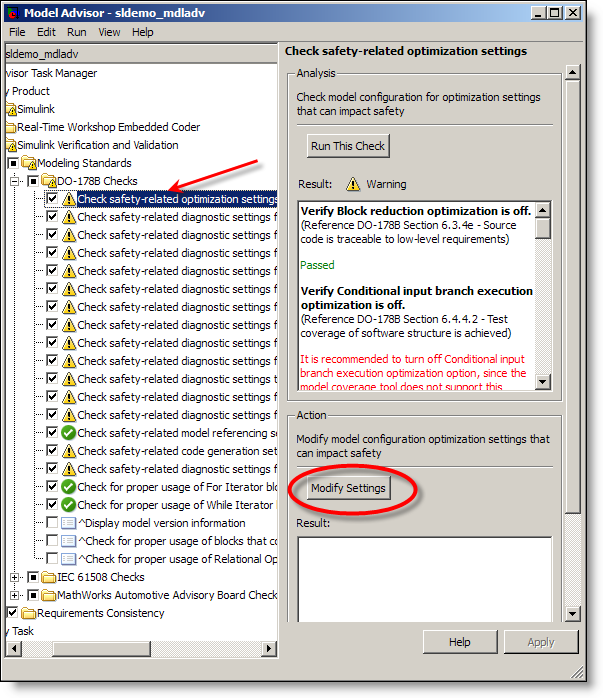
After reviewing the check, I may want to make the recommended changes to the optimization settings to comply with this check. I can click on the Modify Setting button, which makes the appropriate changes to my model.
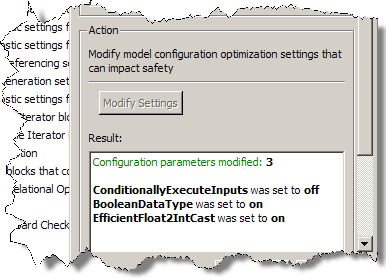
The results of the action display below the button for review. When the check is re-run, it no longer produces warnings.
Restore Points, new in R2008b
New in R2008b is the ability to save a model and data restore point. Restore points allow you to revert changes that you made in response to advice from the Model Advisor. A restore point is a snapshot in time of the model, base workspace, and Model Advisor.
From the File menu you can select to save and load restore points. When you select Save Restore Point As... you can name the restore point and provide a description.
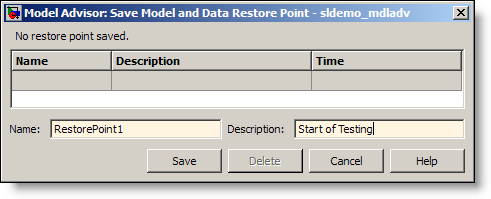
After making changes to the model, you can revert to the previous restore point by loading that point.
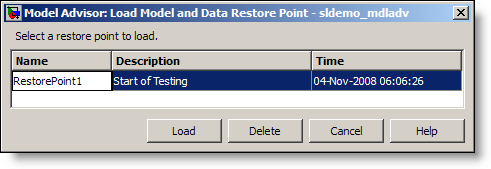
The Model Advisor maintains restore points for the model or subsystem of interest through multiple sessions of MATLAB.
How do you check your models?
Do you use Model Advisor in your model development process? Are there any standard checks you would want to see? Leave a comment here and tell us what you think.
- Category:
- Verification & Validation,
- What's new?


See Also
-
Upgrade Advisor
Blogs
-
-
-

Comments
To leave a comment, please click here to sign in to your MathWorks Account or create a new one.