Guy and Seth on Simulink

October 25th, 2011

Dynamics Mask Icons for Subsystem Variants

Today I will illustrate how to combine two features I like: Subsystem Variants and Masking.

The Question

I created a subsystem with two variants and I have specific masks for each variant:
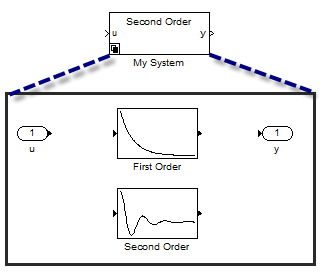
Subsystem variants with different masks

I would like to automatically display the mask of the active variant on the top subsystem.

The Solution

As you probably guessed, the trick is to define the correct Icon Drawing Commands for the top subsystem. After juggling with multiple options, I came up with the following process:

  • Use get_param to determine the active variant
  • Use find_system to determine the subsystem corresponding to the active variant
  • Use get_param to obtain a string containing the Icon Drawing Commands of the active variant
  • Evaluate this string as the top subsystem Icon Drawing Commands

All together, the Mask Editor should look like this:
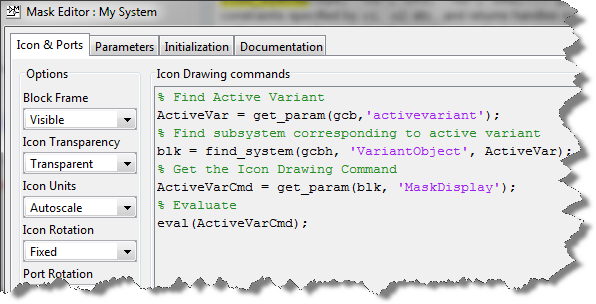
Icon Drawing Commands seen in the Mask Editor

And your model will behave like this:
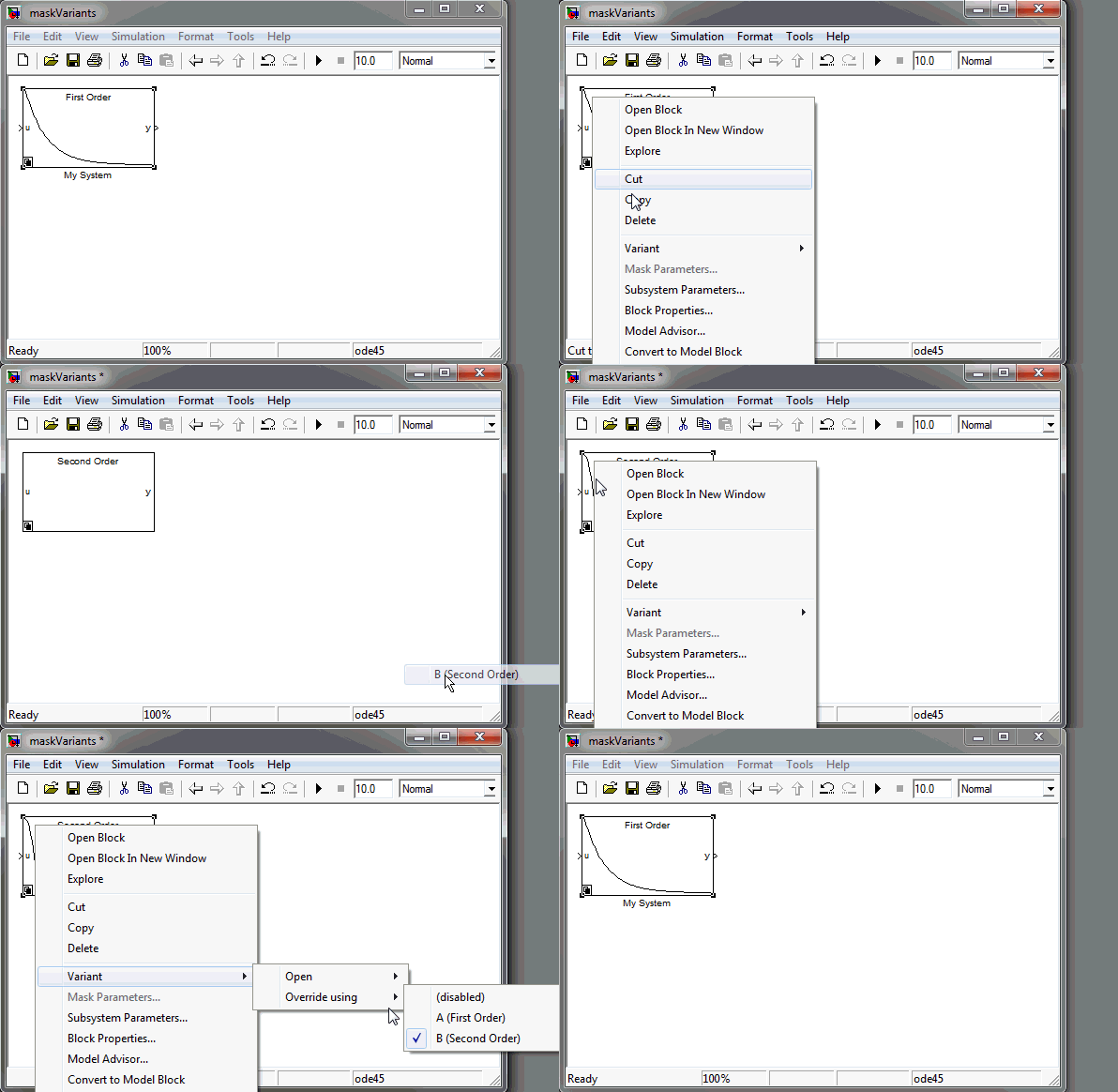
Subsystem variants with different masks, in action!

Now it's your turn

Have you integrated Subsystem Variants in your workflow? Leave a comment here.

2 Responses to “Dynamics Mask Icons for Subsystem Variants”

  1. KE replied on :

    What are some reasons to use Variant Subsystems? Is it to try out different algorithms in the code, for example vehicle braking algorithms that will afterwards be compared in order to select the one with the best performance?

  2. Guy Rouleau replied on :

    @KE: The use case you mention is one possibility.

    It is common to have multiple models of the same plant. For some tasks, a high-fidelity model is required. For some other tasks, a lower-fidelity plant is acceptable and simulates faster.

    Another use case is switching between a simulated plant and hardware drivers, as I illustrated here:

    http://blogs.mathworks.com/seth/2011/12/27/model-based-design-dilemma/

    For those interested in generating code, you can use the “Generate preprocessor conditionals” option, to generate code for all variants, but build only one selected using a “#define” in the code.

Leave a Reply

Wrap code fragments inside <pre> tags, like this:

<pre class="code">
a = magic(3);
sum(a)
</pre>

If you have a "<" character in your code, either follow it with a space or replace it with "&lt;" (including the semicolon).


MathWorks
Guy Rouleau and Seth Popinchalk are Application Engineers for MathWorks. They write here about Simulink and other MathWorks tools used in Model-Based Design.

These postings are the author's and don't necessarily represent the opinions of The MathWorks.