
New Release – Simulink R2009a
Continuing the semi-annual tradition, I am excited to announce the latest release of MATLAB and Simulink, R2009a. Check out the Simulink release notes to get the full details of the release. Here are a couple highlights of my personal favorite new features.
Save the full simulation state
This is an often-requested feature that I have personally been looking forward to for many years. When you think of states in a model, often we think of the continuous and discrete states of the system. Many blocks, like the Transport Delay and Stateflow blocks, store their state information in work vectors that are not part of the continuous or discrete states of the model. With the R2009a release of Simulink, you can store the complete SimState at the end of the simulation.
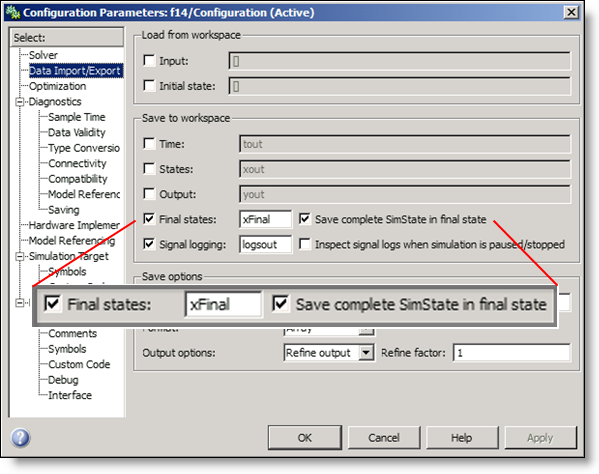
You can use the SimState to initialize the model and restart the simulation exactly at the point where it stopped.
Model Reference Parallel Build
If you use Model Reference and you have a license for the Parallel Computing Toolbox, you may be able to improve your build time on multi-core machines. Part of initialization for reference models involves building the accelerated reference model. Depending on the hierarchy of your reference models, you may be able to take advantage of the multiple cores on you computer during this build process.
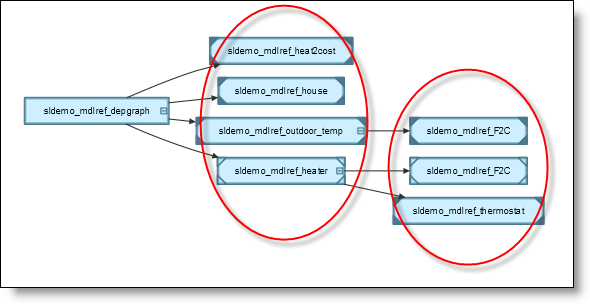
When the hierarchy has many parallel models with no dependencies, these build in parallel on local MATLAB workers.
Smart Guides
Now, as you are laying out blocks in your model, guides show up and the blocks snap into alignment with other blocks in the model. This is a lot of fun and makes it easy to keep your model clean as you build.
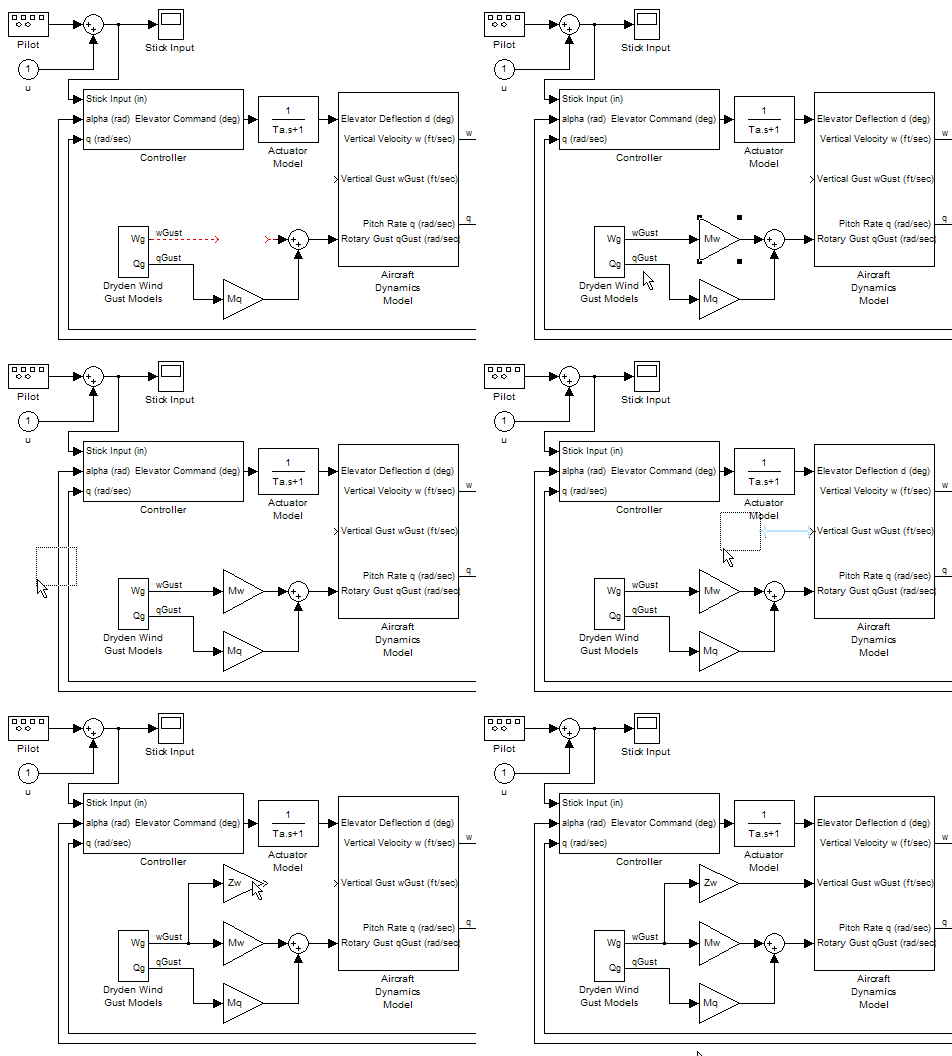
Customize the Library Browser
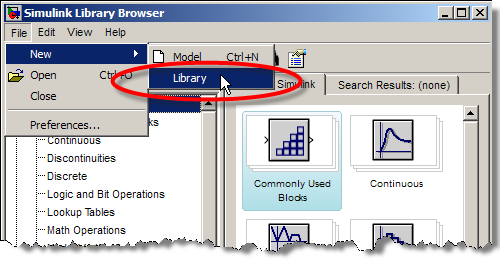
The Simulink Library browser can be customized with an sl_customization.m file. The options for customizing the library browser include reordering libraries, disabling and hiding libraries, and customizing the library browsers menus.
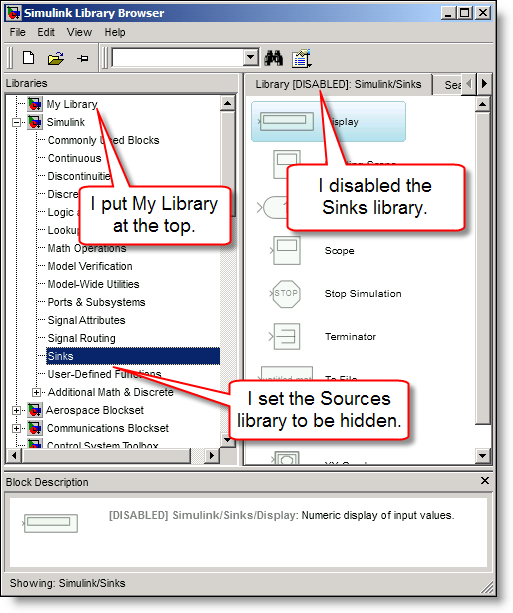
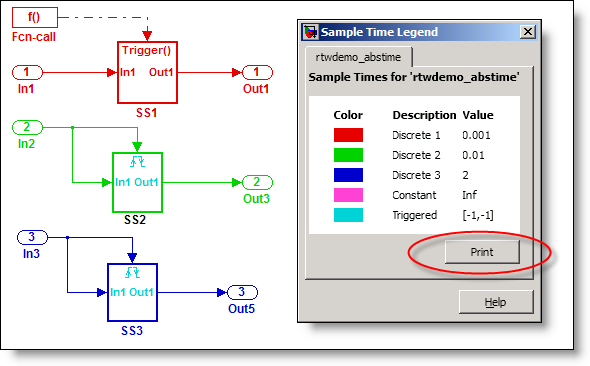
Print the Sample Time Legend
We added a button to the Sample Time Legend to allow printing. There is also an option in the regular print dialog for models to include the sample time legend when printing the system.
What do you think?
Have you downloaded and installed R2009a? What do you notice about the new release? Leave a comment here and let me know what you think.
- Category:
- Libraries,
- Model Reference,
- Simulink Tips,
- What's new?




Comments
To leave a comment, please click here to sign in to your MathWorks Account or create a new one.