Guy and Seth on Simulink
May 14th, 2012
How to Load and Save Bus Signal Data
In R2012a, the From Workspace, To Workspace, From File and To File blocks all support bus signals. This is an often requested capability, and I have been looking forward to it for a long time.
MATLAB Timeseries
In R2012a, most methods for importing and exporting data to and from a model have been standardized to use MATLAB Timeseries.
For example, if you open the dialog of the To Workspace, you will see that timeseries is now the default save format:

Using MATLAB timeseries offers a lot of advantages as I described in a previous post on the dataset logging format.
Importing Bus Data
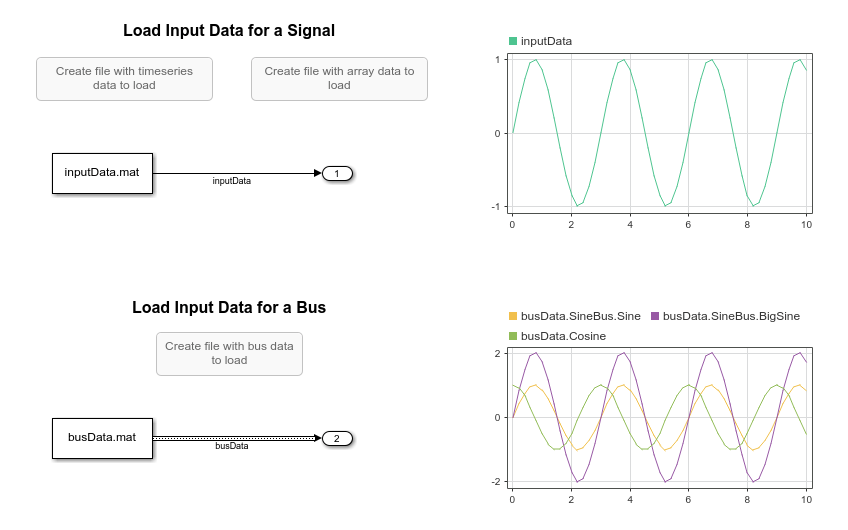
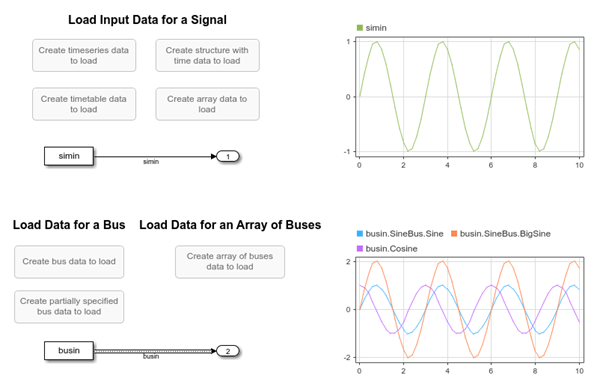
Let's say I want to import bus data, I create a structure of timeseries:

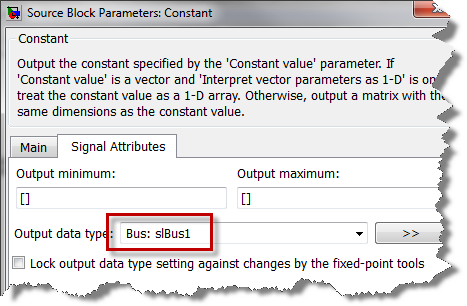
Then I specify the name of the variable or file, and the bus object in the From Workspace or From File dialog.
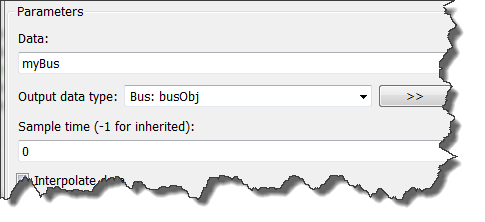
and we have a model importing buses!
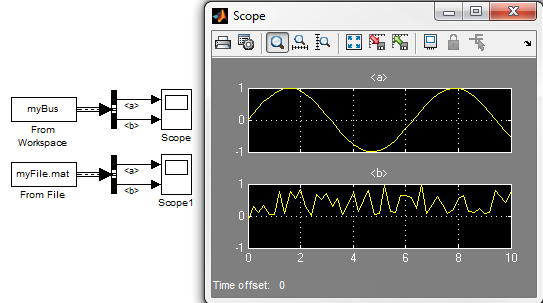
Exporting Bus data
To export bus data, all you need to do do is connect the bus signal to a To Workspace or To File block and ensure the block is configured to use timeseries as save format (the default).
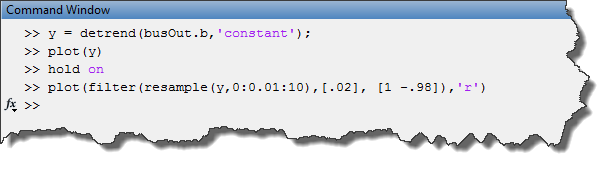
Once the data is in the MATLAB Workspace, you can use all timeseries methods to process your data.
For example, I can quickly detrend, filter and plot a random signal "b", contained inside bus "busOut":

Now its your turn
Are you going to include these new methods of loading and saving bus data in your workflow? Which is be best block pair for loading/saving buses? Let us know by leaving a comment here
By
Guy Rouleau
20:48 UTC |
Posted in Signals, What's new? |
Permalink |
7 Comments »
You can follow any responses to this entry through the RSS 2.0 feed.
You can skip to the end and leave a response. Pinging is currently not allowed.
Leave a Reply
|
FYI to beginners like me: a bus is a composite signal that bundles together several time series which can have *different* data types, unlike a mux which composites time series with the *same* data type, see , http://blogs.mathworks.com/seth/2008/03/27/what-is-a-composite-signal/ . In earlier versions of Matlab, you could only pass a mux to the ToWorkspace block, but now you can pass a bus as well. [Let me know if I have misunderstood].
Thank you KE for the precision.
For those more familiar with the MATLAB language, a bus is like a structure. A mux, is like an array or a vector.
One important thing to keep in mind is that, for backward compatibility, Simulink allows you to mix buses and muxes. However it is recommend to avoid that.
See the documentation section titled “Avoiding Mux/Bus Mixtures” for more details:
http://www.mathworks.com/help/toolbox/simulink/ug/bq4jp6i.html
How is bus different from mux? Kindly explain in terms of begineers language…thanks
Guy & Seth,
I’m glad to see this capability coming along, however it doesn’t quite satisfy what I am looking for yet. Here’s my issue and how I’m getting around it.
I have a large simulation which uses buses to enforce interfaces and reduce the complexity of block connection. I like the idea of using the TimeSeries type to be able to output an entire bus. However, TimeSeries types are not compatible with Rapid Accelerator, which is a critical need for my sim given that we run thousands of Monte Carlo simulations with ParFor. The only solution I have to this is to break out every variable from the bus into it’s own ToWorkspace block and specify the Type as Array. This can be a real mess to do and doesn’t allow any structured naming.
Do you have any recommendations on capturing simulation data for models with Buses, while still being compatible with rapid accelerator?
Thanks,
Kyle
@Kyle: Since R2012a, the To File block can be used to log buses in Rapid Accelerator mode. It saves a structure of time series like in normal mode.
Oh, so close.
I want to set up a From Workspace block. You mention all the details of how to do this above… except that the picture of the From Workspace dialog in this blog entry shows “Data: myBus” and “Output Data Type: Bus: busObj”.
What is “busObj”?
@Jason: busObj is a bus object. Depending on how your bus is created, you sometimes need a bus object to declare to the Simulink engine what the bus look like.
You can find more information on this topic here:
http://www.mathworks.com/help/simulink/ug/using-bus-objects.html