Guy and Seth on Simulink

September 12th, 2012

Welcome Simulink R2012b!

We are happy to announce that MATLAB R2012b is released today!

You will notice that the interfaces for the MATLAB desktop and Simulink editor have been completely redesigned. There are so many new features in Simulink R2012b that I think we will need the next 6 months to cover them all.

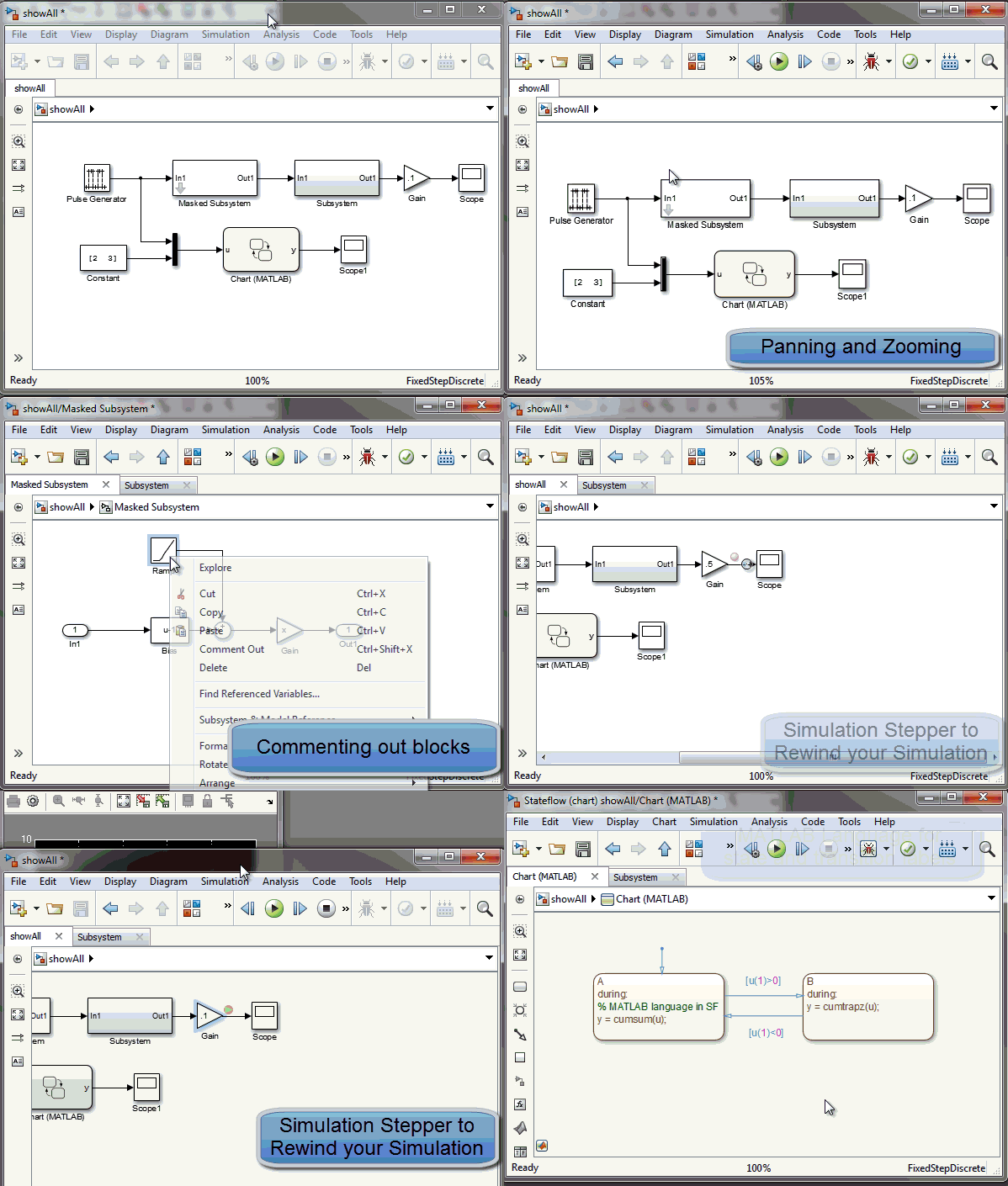
For this first post, I made a short video where I tried to use as many new features as possible in a minute:
Simulink R2012b

In this video, you will notice:

  • Reorganized menus to better fit Model-Based Design workflow
  • Panning and zooming using the mouse wheel
  • Tabbed Windows
  • Smart signal routing
  • The Explorer bar
  • Commenting out block
  • Subsystem badges to look under masks
  • Conditional breakpoints on signals
  • Simulation stepper to simulate and rewind your simulation step by step
  • Unification of Simulink and Stateflow Editors
  • MATLAB language for state and transition label

This is just the beginning... you will notice much more as you start using it.

Now it's your turn

Visit the Simulink R2012b New Features page for more details on all those new features and let us know what is your favorite by leaving a comment here.

12 Responses to “Welcome Simulink R2012b!”

  1. Eike Petersen replied on :

    Looks like a lot of features people have been waiting for for a long time! :)
    I definitely need to get my hands on that asap!
    If all the features work as nicely as they look, well done. :)

  2. KE replied on :

    Commenting out blocks? Great!

  3. Reuben replied on :

    Looks exciting! Wish I could use it, but it doesn’t seem to be playing nicely with my SimMechanics blocks. Any word on when that might be working better?

  4. Guy Rouleau replied on :

    @Reuben: I used SimMechanics with R2012b (both first and second generation) without problems.

    I would be curious to get more details on what you mean by “doesn’t seem to be playing nicely”.

    The best way to get help with that is probably to contact technical support.

  5. Ahmad replied on :

    Better than before. Hope every success to MathWorks.

  6. Giampiero replied on :

    Wow, this is a really great video, i liked it a lot and learned several new features from it (even if i was using 12b already).

    Thanks
    Giampiero

  7. Appala Naidu karanam replied on :

    This is what we are eagerly waiting for… fed up with connecting scopes at every point of the circuit and also new tab was also appreciable..
    thankyou so much.. I wish all good luck for MATLAB

  8. TAB replied on :

    Scope block is weakest feature of simulink. It should be improved to make “timing analysis” of waveform possible with scope. Also zooming and scrolling should be improved.

  9. TAB replied on :

    Liked the cool “navigation” and “debugging” features in R2012b.

  10. Reuben replied on :

    @Guy,
    When I’ve downloaded R2012b, SimMechanics has not come along with the install. I suspect it is because I am using a trial version (until the payment goes through). Does that sound reasonable? Thanks for following up!

  11. KE replied on :

    Like the smart signal routing. Is there any way to have smart block layout in R2012b, i.e. rearrange block locations so that spacing is “nice” and legible?

  12. Guy Rouleau replied on :

    Hi KE,

    There is no new feature for block layout in R2012b.

    As in previous releases, to help with block placements you have:

    - The Arrange section of the Diagram menu contains a set of functions to align and distribute a set of blocks.

    - Smart Guides displayed when you move a block to help you align it with the center or edges of other blocks.

    For something more advanced, I have seen users developing their own function to arrange the layout of the blocks in their model using get_param and set_param on the blocks location.

Leave a Reply

Wrap code fragments inside <pre> tags, like this:

<pre class="code">
a = magic(3);
sum(a)
</pre>

If you have a "<" character in your code, either follow it with a space or replace it with "&lt;" (including the semicolon).


MathWorks
Guy Rouleau and Seth Popinchalk are Application Engineers for MathWorks. They write here about Simulink and other MathWorks tools used in Model-Based Design.

These postings are the author's and don't necessarily represent the opinions of MathWorks.