
A Historical Tour of the Library Browser
When I started using Simulink, the libraries were organized a little differently than they are today. There were fewer blocks and no such thing as a Library Browser. Take a look at Simulink 1.3c from 1996.
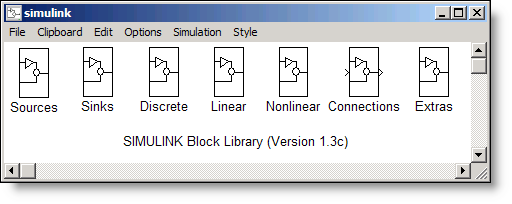
This version was a little before my time. However, users of that era may remember it. When I joined The MathWorks in 1998, the Simulink 2 library looked like this.
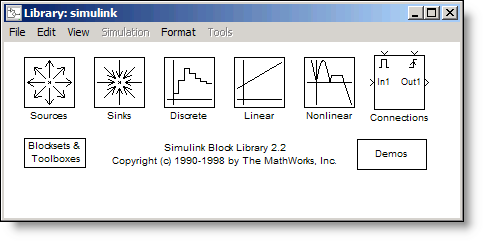
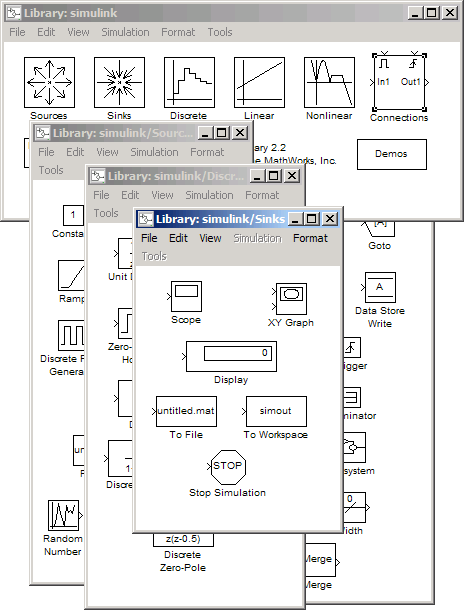
The main challenge with Simulink 2 was screen real estate. In order to build a model, you had to open each of the sub-libraries in a new window. First, you would need a Signal Generator, so you open Sources. Next you need a Unit Delay, so you open the Discrete library. Then you need a Scope, so you open Sinks, yet another window. In a short time your desktop would look like this.
In the latter part of 1998 Simulink 3 was introduced. Along with it came the Library Browser on the PC. It was revolutionary because you didn't have to clutter your entire desktop with windows to get access to the blocks you needed. This made a real difference if all you had was an 800x600 pixel monitor.
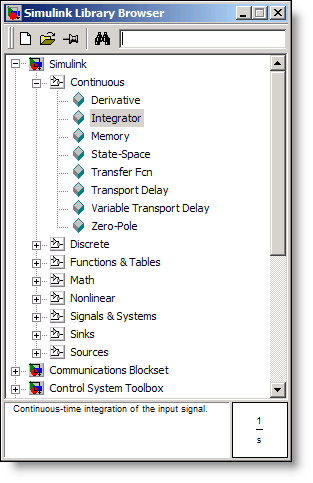
Unfortunately users on non-Windows platforms were stuck with the old interface. Even Simulink developers who preferred Linux we relegated to the "old school" libraries. Luckily, screen sizes have continued to increase since the 90s.
R2008a
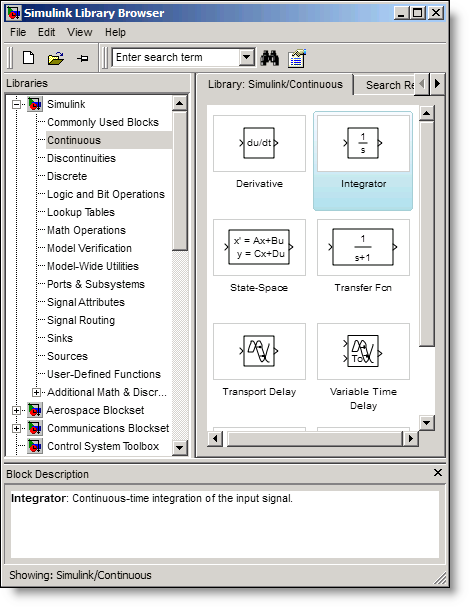
With the release of R2008a all platforms can now use the same Library Browser. Our Linux-loving Simulink developers can now use the same great Library Browser we have on the PC. The Library Browser has a new grid view in addition to the traditional list view.
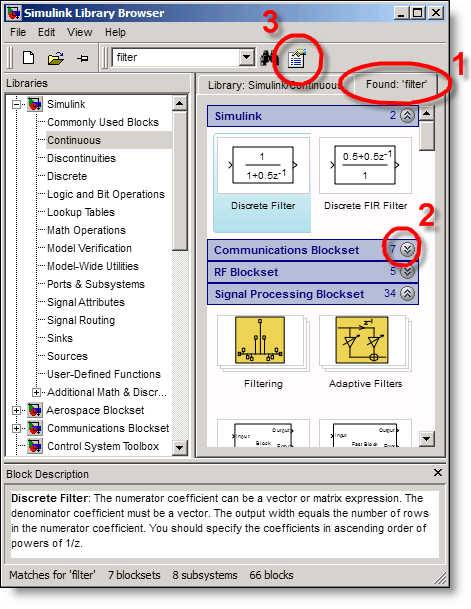
Notice the search tab, item 1 in the diagram below. This is an improvement over the old version. When searching, you will now see all the results in one place rather than having to walk through the tree to view each match. The results are grouped by library and can be collapsed to simplify browsing (2). The search options (3) also allow for regular expressions.
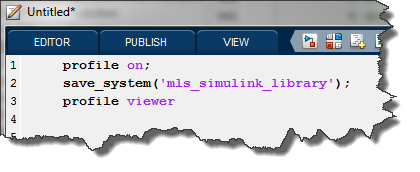
The R2008a Library Browser has improved graphics and better performance compared with previous releases. The old version would redraw all blocks each time you viewed them, and in order to see the blocks in a library it had to be loaded into memory. The new browser uses caching to improve performance. The cache also enables faster searches without fully loading all libraries into memory. By the way, building the cache incurs a one time cost which you may notice the first time you start the Library Browser.
After seeing the new Library Browser, most people ask the same question:
But Seth, how do I add my library to the browser?
It has always been possible to add a library to Simulink. In order to add a library to the browser, create an slblocks.m file. You should store it in the directory with your library. I’m going to use the example library from a previous post. The most basic slblocks.m file looks like this:
function blkStruct = slblocks
%SLBLOCKS Defines a block library.

% Library's name. The name appears in the Library Browser's
% contents pane.

blkStruct.Name = ['A PID' sprintf('\n') 'Library'];

% The function that will be called when the user double-clicks on
% the library's name.

blkStruct.OpenFcn = 'pidLibrary';

% The argument to be set as the Mask Display for the subsystem. You
% may comment this line out if no specific mask is desired.
% Example: blkStruct.MaskDisplay = 'plot([0:2*pi],sin([0:2*pi]));';

blkStruct.MaskDisplay = '';
% End of blocks
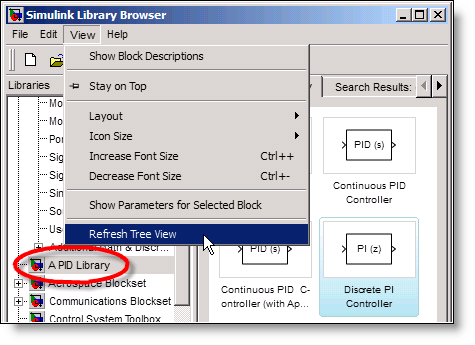
After creating the library, you will need to select Refresh Tree View from the Library Browser View menu.
It is also possible to specify multiple libraries within the same slblocks.m. I recommend looking at the other slblocks.m files on your path for examples.
>> which -all slblocks
A well-documented example is in $matlab/toolbox/simulink/blocks/slblocks.m. You can start by making a copy of that one and then edit it to reference your library.
Try it yourself
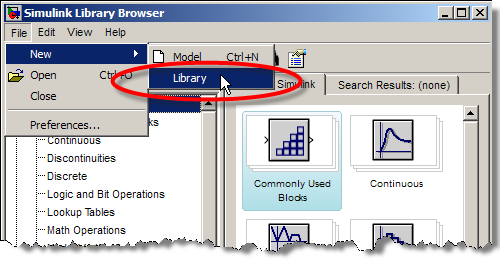
If you have never added a library, try making a library of your most commonly used components. Select File -> New -> Library from the Library Browser. Drag in your favorite blocks and add this to the Library Browser to increase your productivity.
Do you have custom libraries? Are they displayed in the Library Browser? Let me know in the comments.




Comments
To leave a comment, please click here to sign in to your MathWorks Account or create a new one.