
Advanced Masking Concepts
Masking does more than just put a professional interface on your algorithm. Simulink blocksets provide elaborate graphical user interfaces (GUIs) to control the behavior of blocks. The block dialog can dynamically enable and disable its GUI elements. Blocks can sprout additional ports in order to accept parameters as input signals. The algorithm can rewire itself based on the setting in the dialog. Did you ever ask yourself, “how can I do that?”
This is the first in a series of posts that will introduce these advanced masking concepts. I have created an example that has:
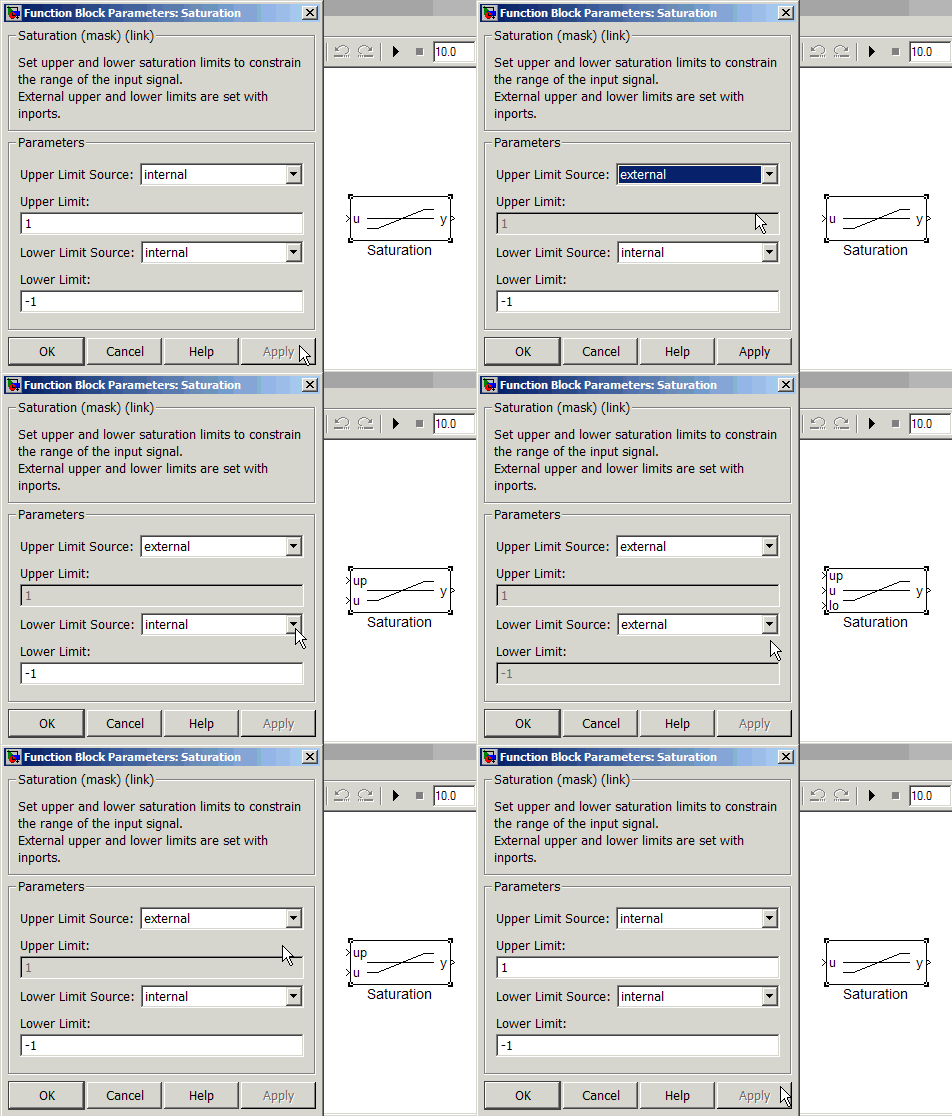
- A block dialog that enables and disables parameters based on user settings
- The option to add and delete ports to match dialog settings
This example builds on top of the basic concepts introduced in my recent post on masking. That post covered how to make a mask icon, and provide a mask dialog to control the parameters used in an algorithm.
Two saturation blocks
The example I have created combines the dynamic saturation block from a recent post on libraries and the fixed saturation block in my recent post on masking. The algorithms for these two blocks differ slightly. The dynamic saturation block uses inports to provide the limits, and the fixed saturation uses constant blocks to provide the same signals.

The Fixed Saturation block has a mask that sets the values of the uplim and lowlim variables in the mask workspace.

A combined saturation block interface
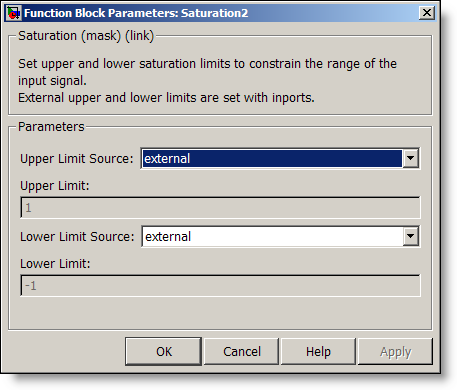
To combine these blocks, I present the user with a simple interface that allows them to control the source of their upper and lower saturation limits. The value can be internal or external.

When internal limits are used, the value comes from the Upper Limit and Lower Limit fields. When using external limits, those fields are disabled, and inports provide the limit signals.
How does this combined block work?
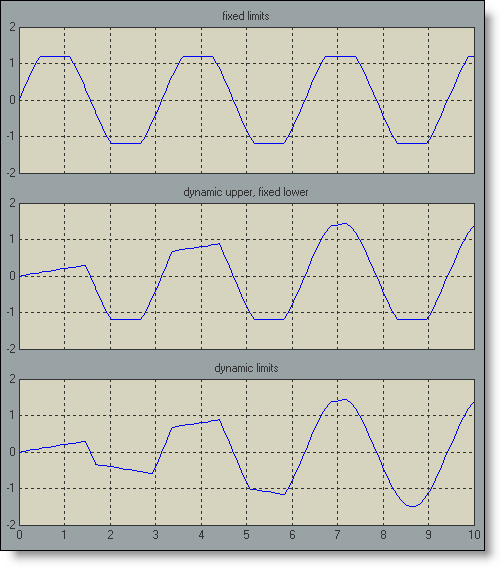
Here is a test model that exercises some of the different modes of this saturation block. The three saturation blocks in this model are actually three instances of the same library block.
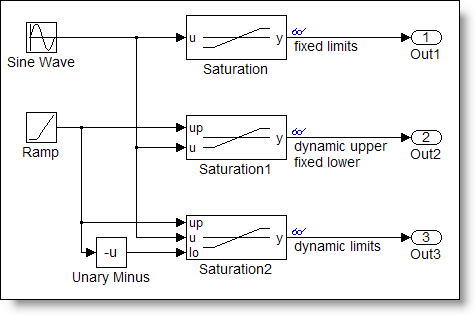
The top block uses the fixed limits. The middle block uses an external source for the upper limit and a fixed value for the lower limit. The bottom block uses external sources for both the upper and lower limit.
How does the same block behave in these three different ways? To see how, you can look under the masks of these blocks and see the blocks involved in the algorithm.
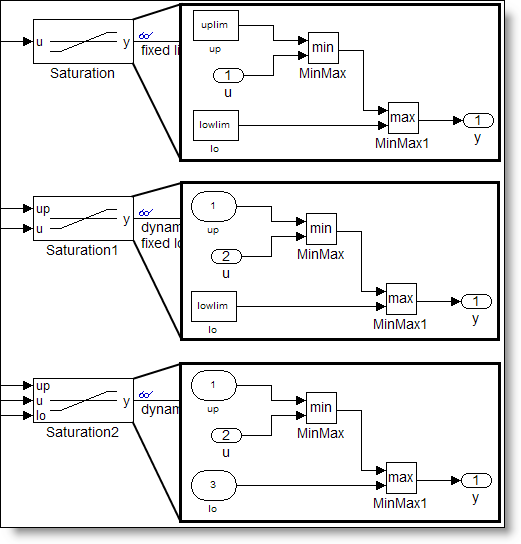
All three instances of the subsystems get their upper limit from a block named system/up, and their lower limit from a block named system/lo. In the case where the limits are fixed, the block is a constant block. In the case where the limit is dynamic (external source), the block is an inport. To achieve this, the block runs some M-code that replaces the Constant block with an Inport when the source is external and replaces the Inport with a Constant block when the source is internal.
In future posts we will examine:
- Mask dialog callbacks
- Mask initialization and self modifiable library blocks
- Best practices for masking
Now it’s your turn
Have you implemented masks using these concepts? Share your experience here.
- Category:
- Libraries,
- Masking


See Also
-
Dynamic Mask Dialogs
Blogs
-
-
-

Comments
To leave a comment, please click here to sign in to your MathWorks Account or create a new one.