
Pick of the week: Customizing Simulink
This week I am borrowing the Pick of the Week blog format pioneered by Scott and Doug and carried on by the three amigos: Bob, Brett and Jiro.
Simulink Pick of the Week
Seth’s pick this week is Customizing the Simulink Interface Demo by Saurabh Mahapatra
While browsing through the file exchange, I clicked on the Simulink tag to see the latest Simulink files. Saurabh’s demo of how to customize the Simulink interface was right at the top. You can really appreciate what is in this submission without even downloading it. The ZIP file contains a published M-file that documents and explains each customization in detail. (Everyone should do this!)
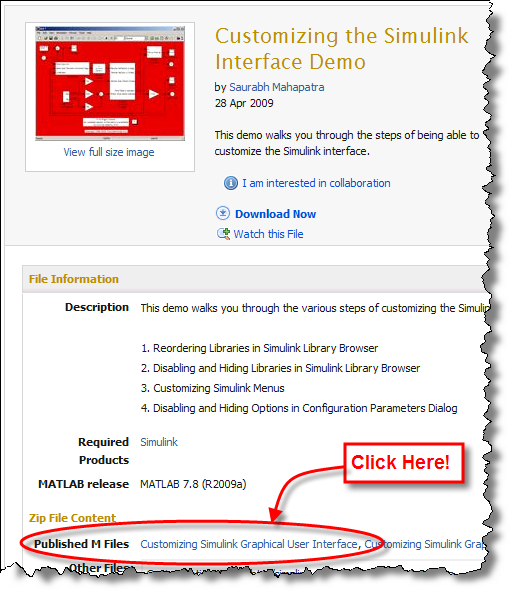
Saurabh explains how to make a few key customizations to the Simulink interface.
Reordering Libraries in Simulink Library Browser.
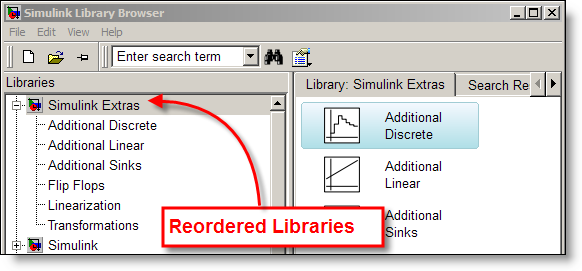
If you don’t like the default order of libraries (alphabetical, with Simulink always on top), you can reorder them. This is particularly helpful if you use a pallet library to keep you custom blocks on hand. (I have previously blogged about adding custom libraries.)
Disabling and Hiding Libraries in Simulink Library Browser.
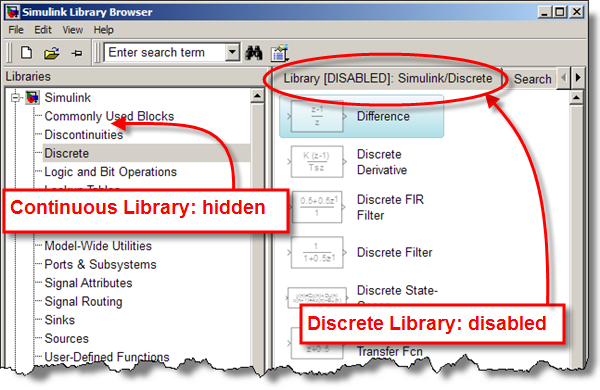
Why would you ever want to do this? Well, I most often hear the request from larger teams that need to restrict the blocks allowed in their design. If your team doesn’t allow continuous blocks in their controller model, it might be easier to keep them out of sight and prevent their insertion from the start.
Customizing Simulink Menus.
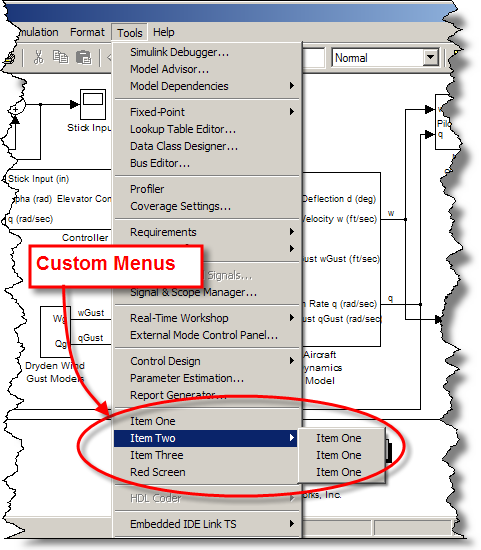
The example here is very simple, but I have used this one myself. I made a custom menu that would generate a bus object for the currently selected port or bus creator. This saved me the time of having to type Simulink.Bus.createObject('model', 'model/Bus Creator').
Disabling and Hiding Options in Configuration Parameters Dialog.
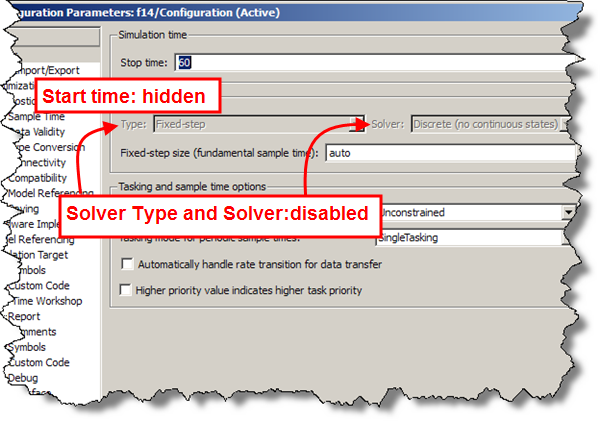
Just about every menu and configuration parameter can be enabled/disabled and hidden. This flexibility helps when enforcing team modeling styles and preventing common errors because of mistaken settings.
Now it’s your turn
I hope you will download the file, rate it, and leave comments. How do you use customizations? Leave me a comment here, or submit your own customizations to the file exchange!
- Category:
- Community,
- Libraries,
- Simulink Tips,
- What's new?






Comments
To leave a comment, please click here to sign in to your MathWorks Account or create a new one.