Guy and Seth on Simulink
November 2nd, 2012
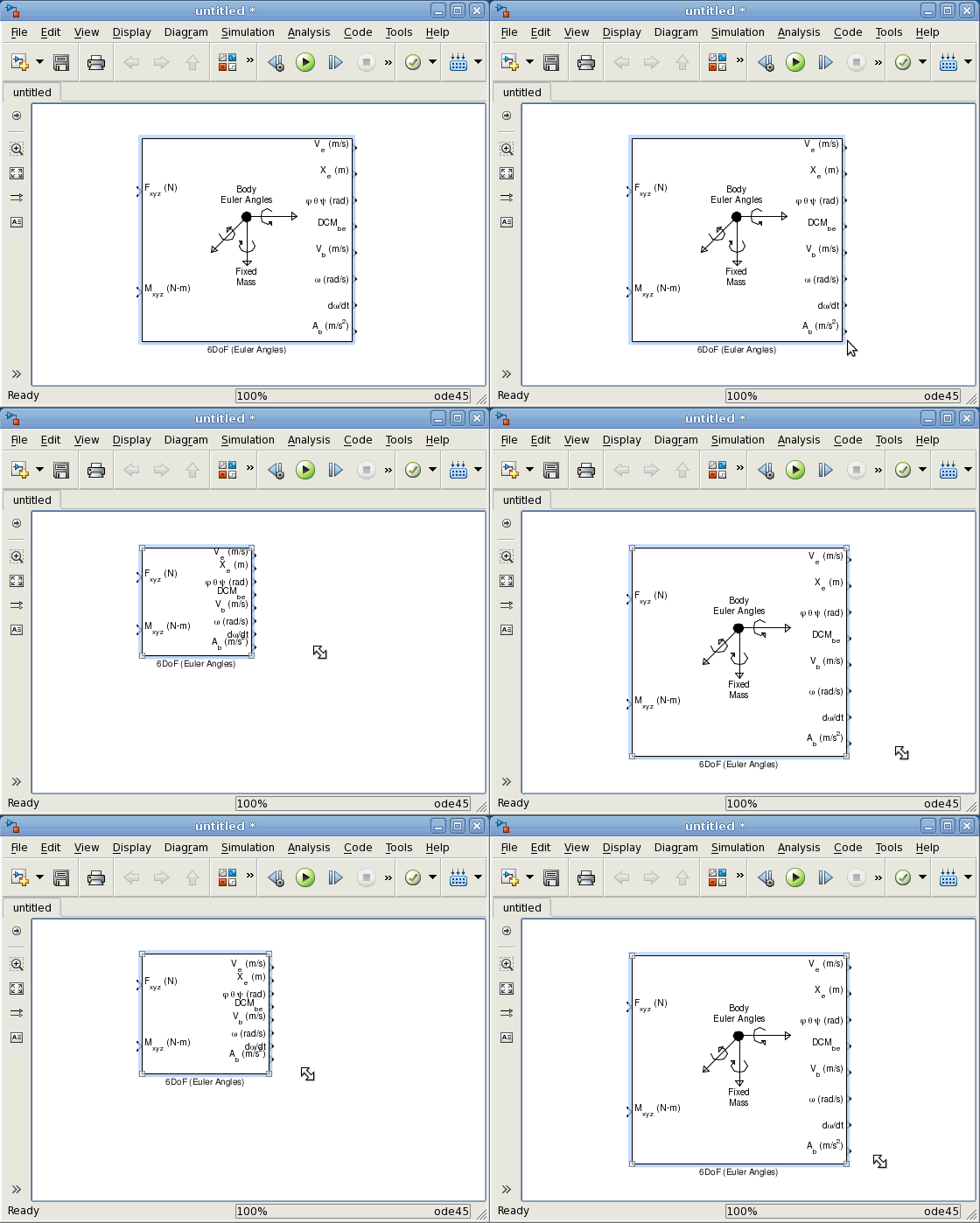
Resizing blocks in R2012b
This week I want to share two new ways of resizing blocks in R2012b. Those might seem very minor, but I think they can be very useful.
Keeping Ratio
If you hold the Shift key while resizing a block, this will force it to keep its width versus height ratio.
Resizing around the center
If you hold the Ctrl key while resizing a block, it will resize around its center. Before this feature, I always ended up resizing a block and then moving it to recenter it!
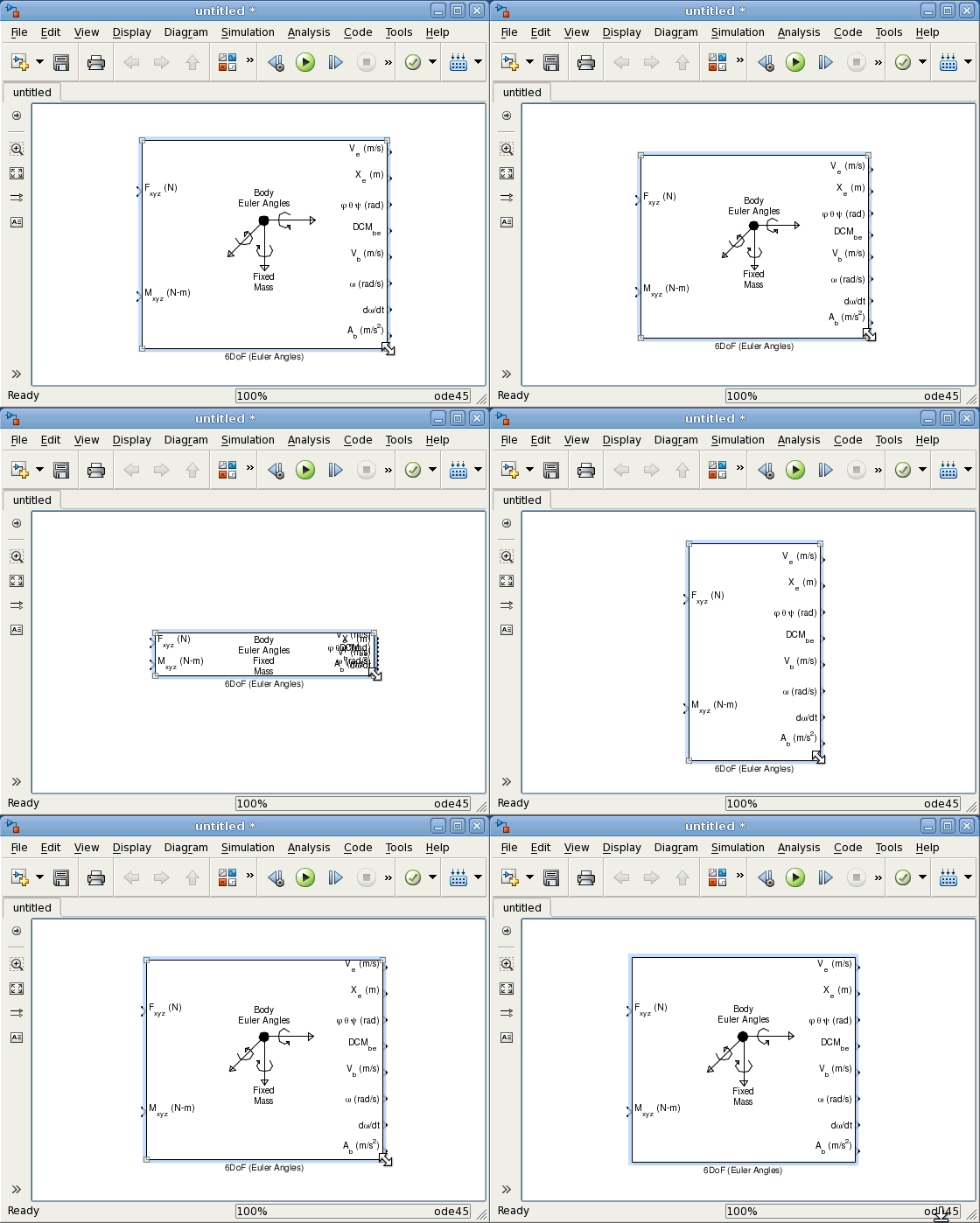
Bonus
Did you notice that this week I made my screen captures using Linux? In case you did not notice, I wanted to highlight that since R2012b, Simulink now looks the same in all supported operating systems.
Now it's your turn!
Let us know what you think about those new resizing options by leaving a comment here.
By
Guy Rouleau
09:54 UTC |
Posted in Simulink Tips, What's new? |
Permalink |
2 Comments »
You can follow any responses to this entry through the RSS 2.0 feed.
You can skip to the end and leave a response. Pinging is currently not allowed.
Leave a Reply
|
Because of a wrong link I provided, 2 comments went to the wrong post:
From Paul:
“It’s because I’m such an avid reader of this site, that I felt the need to comment. While the new Simulink looks impressive, I’m guessing the majority of readers are interested in physical examples and problem solving techniques, not minor feature demos. I’m sorry, I know that’s harsh…”
From Thomas Marullo:
“Is this a masked block? If so, I am curious of how you edited the mask to make the inputs, outputs and block description to look this good.”
Here are my answers:
@Paul: Thank you for the comment. I take this feedback very seriously. I usually try to alternate between “feature highlighting” and “debugging adventures”, but I agree that recently we really went only on one side.
I also prefer posts focused on problem solving, so you can be sure I will come back to that soon.
@Thomas: This block is from the Aerospace Blockset. It is a regular masked subsystem with classic drawing commands. the only special thing I can think of is a conditional logic to draw a different icon depending on the block dimensions.
is there a new way of automatically arrange blocks and lines in Simulink model now?