
Today, I am happy to welcome guest blogger Navid Rahbariasr. Navid recently received a request from a user trying to include C++ code in a referenced model in accelerator mode. Unfortunately, this... 더 읽어보기 >>

Today, I am happy to welcome guest blogger Navid Rahbariasr. Navid recently received a request from a user trying to include C++ code in a referenced model in accelerator mode. Unfortunately, this... 더 읽어보기 >>

Today I am happy to welcome guest blogger David Balbuena. If you are getting started using the Reduced Order Flexible Solid block from Simscape Multibody, I strongly recommend that you go through... 더 읽어보기 >>
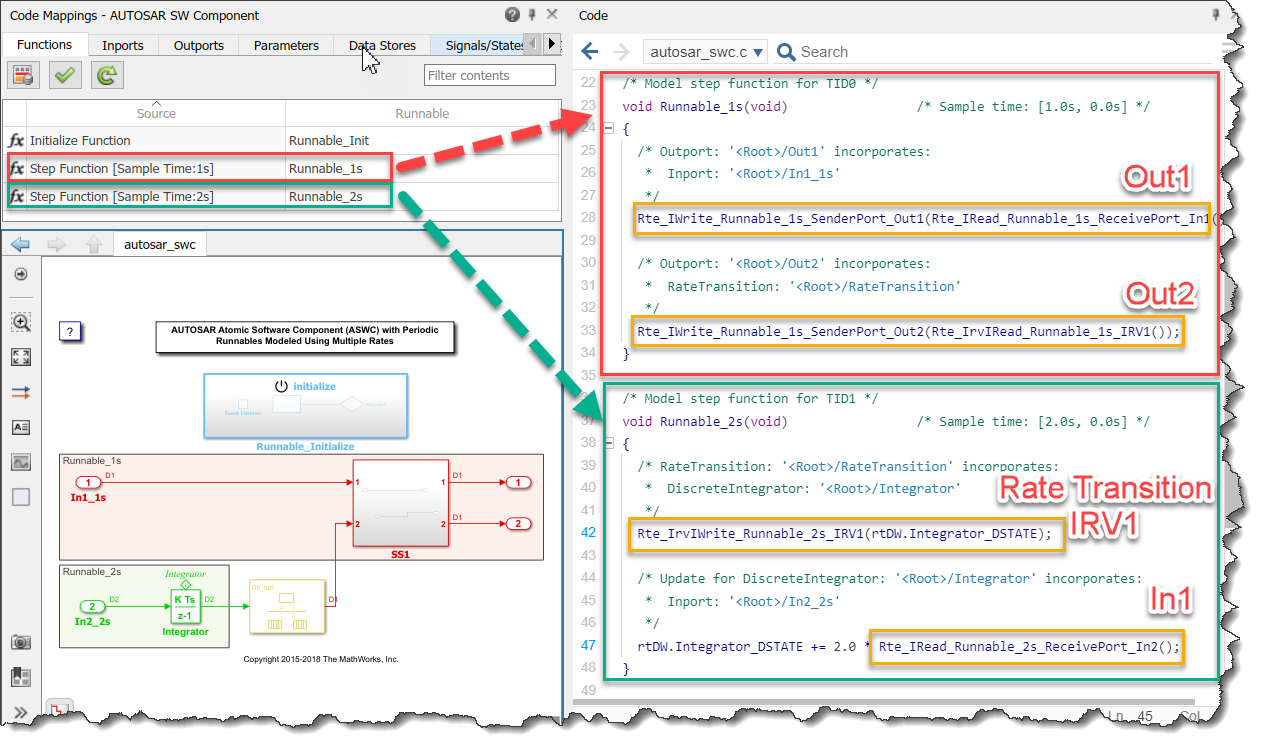
Today I am happy to welcome guest blogger Sai Ram Anumula to give an introduction on how to configure Simulink models to generate AUTOSAR compliant code.
Some time ago, my colleague Shwetha published... 더 읽어보기 >>
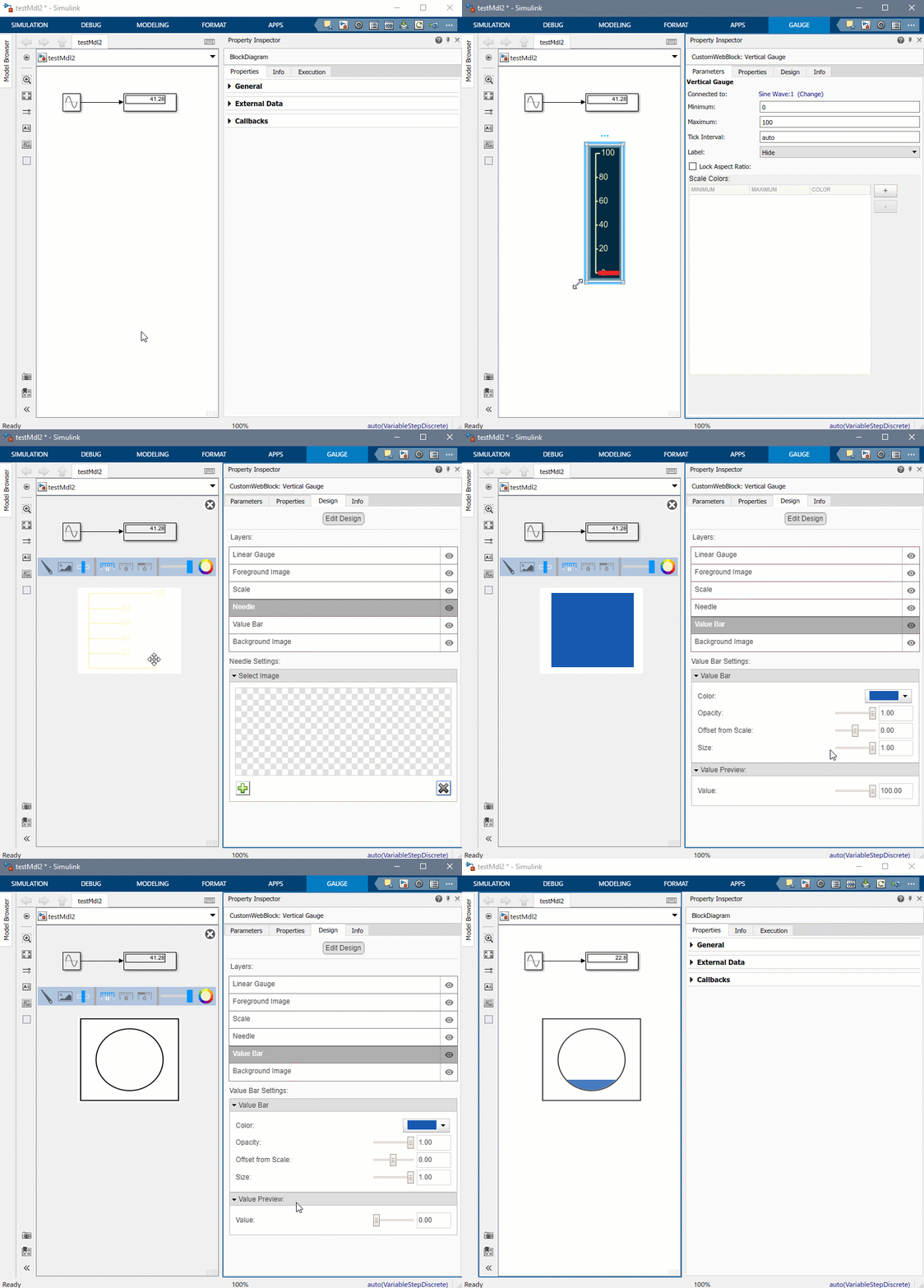
This week, I have a gift for you!
Thanks to new capabilities added in MATLAB R2020b, I created a library of custom gauges that you can add to your Simulink models and published it to MATLAB Central... 더 읽어보기 >>

After covering the basics of Simulink Compiler in my previous post, it's now time to look at a more complex application. For that, I decided to leverage the project I published on this blog a few... 더 읽어보기 >>

In MATLAB R2020a, we introduced a new product: Simulink Compiler
In this post, I am sharing the basic information you will need to get started with Simulink Compiler.
What is Simulink compiler?
To... 더 읽어보기 >>

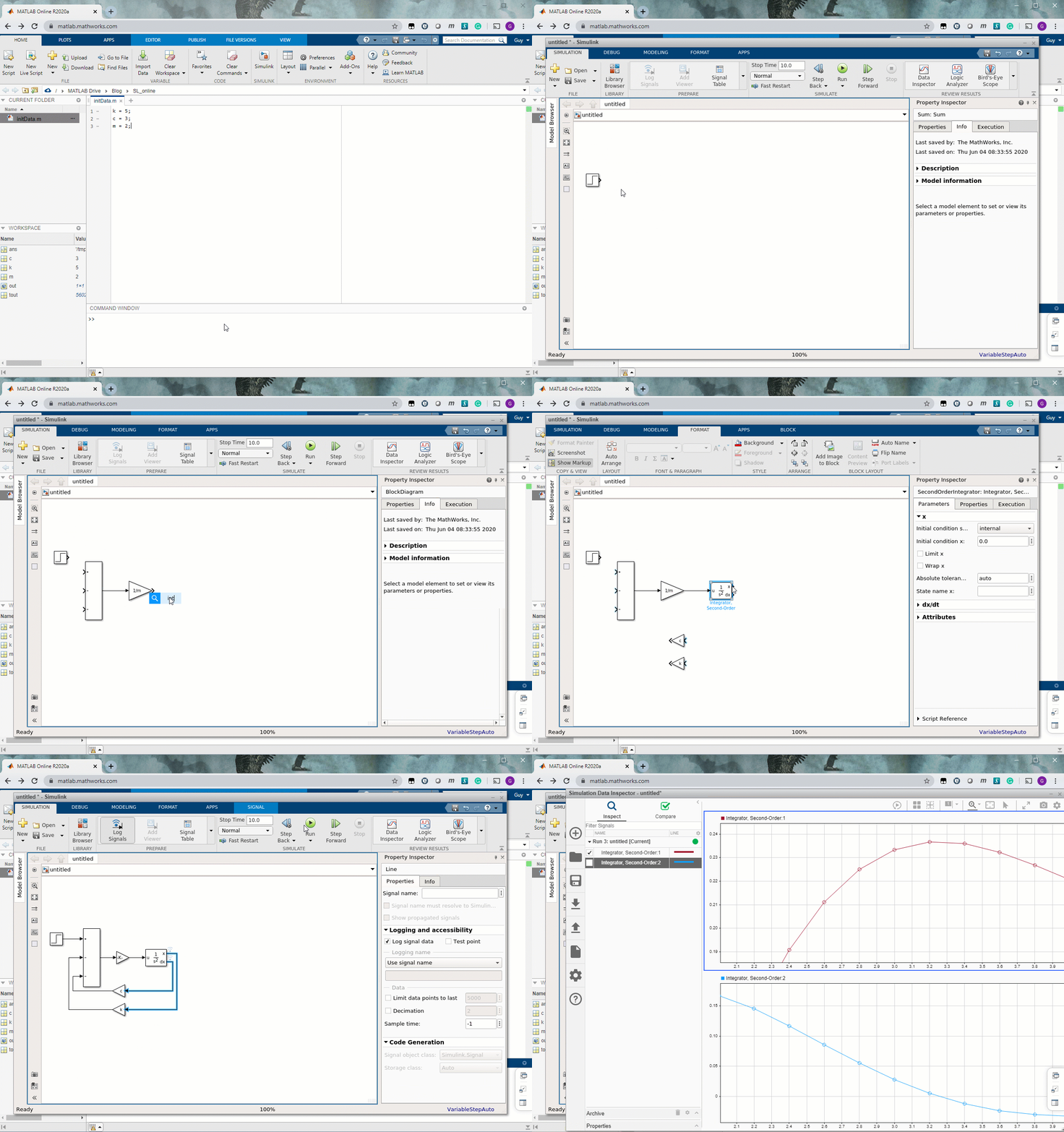
Do you know what I did this morning? I created a Simulink model in MATLAB Online!
Simulink in MATLAB Online
A few years ago, in this post, I described how I like the convenience of having MATLAB... 더 읽어보기 >>

In a previous post, I introduced a model simulating the exponential spread of a phenomenon like COVID-19. With more and more talks in the news about deconfinement plans, I thought it would be... 더 읽어보기 >>

R2020a is here... Time to highlight my favorite new Simulink features!”
Editor Enhancements
As I said many times, I spend a good part of my life debugging and editing Simulink models. Anything that... 더 읽어보기 >>

Update (10/14/2020): The GitHub repository now contains a MATLAB App to simulate the model and visualize the results. We compiled the app as a MATLAB Web App and host it in the cloud using the MATLAB... 더 읽어보기 >>
이 게시물은 작성자 개인의 의견이며, MathWorks 전체의 의견을 대변하는 것은 아닙니다.